
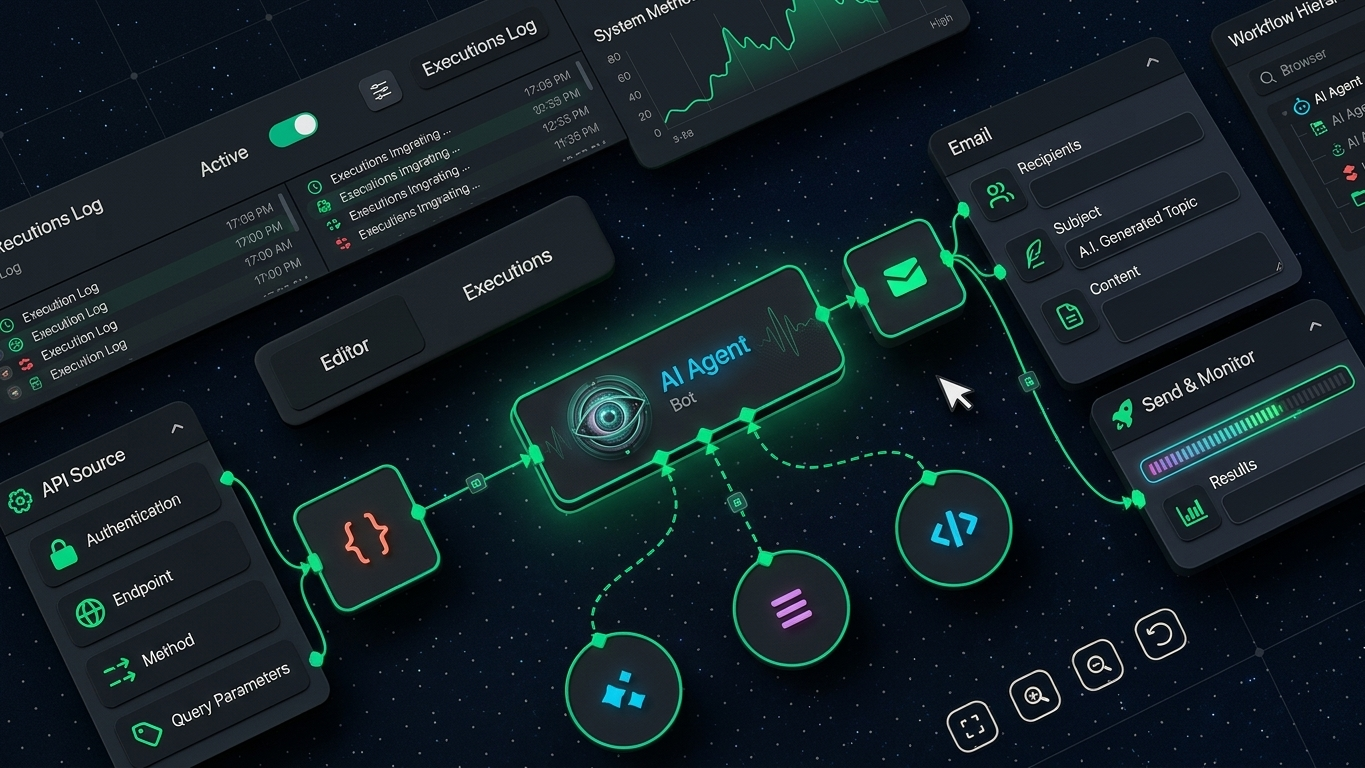
Here is a number that will reframe how you think about agentic AI: Gartner predicts that by 2028, 33% of enterprise software applications will include agentic AI, up from less than 1% in 2024. It also expects at least 15% of day-to-day work decisions to be made autonomously by then.gartner+1
But that does not mean every chatbot is suddenly an AI agent—or that you should trust software to make important decisions without checking its work. Agentic AI is useful because it can plan and execute multi-step work with tools, not because it can produce impressive-sounding text.
Agentic AI refers to AI systems that can work toward a defined goal with limited supervision. Instead of answering one prompt and waiting, an agent can examine information, plan tasks, use approved tools or APIs, check results, and continue until it reaches a stopping point. Here is the full picture.
Why 2026 Is the Right Time for Agentic AI
The shift from chatbots to agents is happening because language models can now connect to tools. A normal chatbot can tell you how to research competitors. An agentic system can search approved sources, organize findings in a spreadsheet, create a draft report, flag uncertainty, and ask you for approval before it sends anything.
That ability changes what AI can do inside a real workflow. Microsoft describes the agentic loop as perceiving information, reasoning about it, acting through tools or systems, then reflecting on the outcome and adjusting its approach. Google similarly defines agentic workflows as dynamic processes where AI agents use reasoning, planning, and external tools to handle complex, multi-step tasks with minimal human intervention.microsoft+1
The overlooked trend is that agentic AI is not only for large companies with development teams. No-code automation platforms, AI-enabled workspace tools, customer-support systems, coding environments, and marketing software are all adding agent-style features. You may not need to build an AI agent from scratch to use one.
Still, “agentic” has become a marketing label. Gartner warned that more than 40% of agentic AI projects could be cancelled by the end of 2027 because of costs, unclear value, or weak risk controls. It also said vendors are sometimes rebranding ordinary chatbots and automation as agents. That is why you should judge an agent by what it can safely do—not what its landing page claims.gartner
The Honest Truth About Agentic AI
Here is what most guides will not tell you: agentic AI is not an employee replacement button.
An agent does not understand your business the way you do. It predicts useful next actions based on its instructions, available context, tools, and model capabilities. If its instructions are vague, its data is outdated, or its tool permissions are too broad, it can take the wrong action much faster than a person would.
The honest truth is that the best agentic AI workflows usually begin with narrow, repeatable tasks. Think of collecting leads from approved sources, sorting support tickets, generating weekly reports from defined data, checking documents against a policy checklist, or drafting first replies that a human reviews.
For beginners, the goal is not to build a five-agent autonomous company. The goal is to remove one repetitive bottleneck while keeping a human responsible for quality and final decisions.
| Type of system | How it works | Example | Human oversight needed |
|---|---|---|---|
| Traditional automation | Follows fixed if-then rules | Send a welcome email after form submission | Low, if rules are stable |
| AI chatbot | Responds to a prompt | Draft a social-media caption | Moderate, for accuracy and quality |
| AI workflow | Uses AI within a predefined sequence | Extract invoice data, then update a sheet | Moderate, especially at exceptions |
| Agentic AI | Plans, uses tools, adapts, and works across steps | Research competitors, summarize findings, create a report, and request approval | High for actions involving money, data, publishing, or customers |
The difference matters. Robotic process automation follows the route you designed. Agentic AI can select actions dynamically to pursue a goal, which creates more flexibility—but also more risk.
How Agentic AI Actually Works
Agentic AI usually has five working parts: a goal, a language model, memory or context, tools, and guardrails.
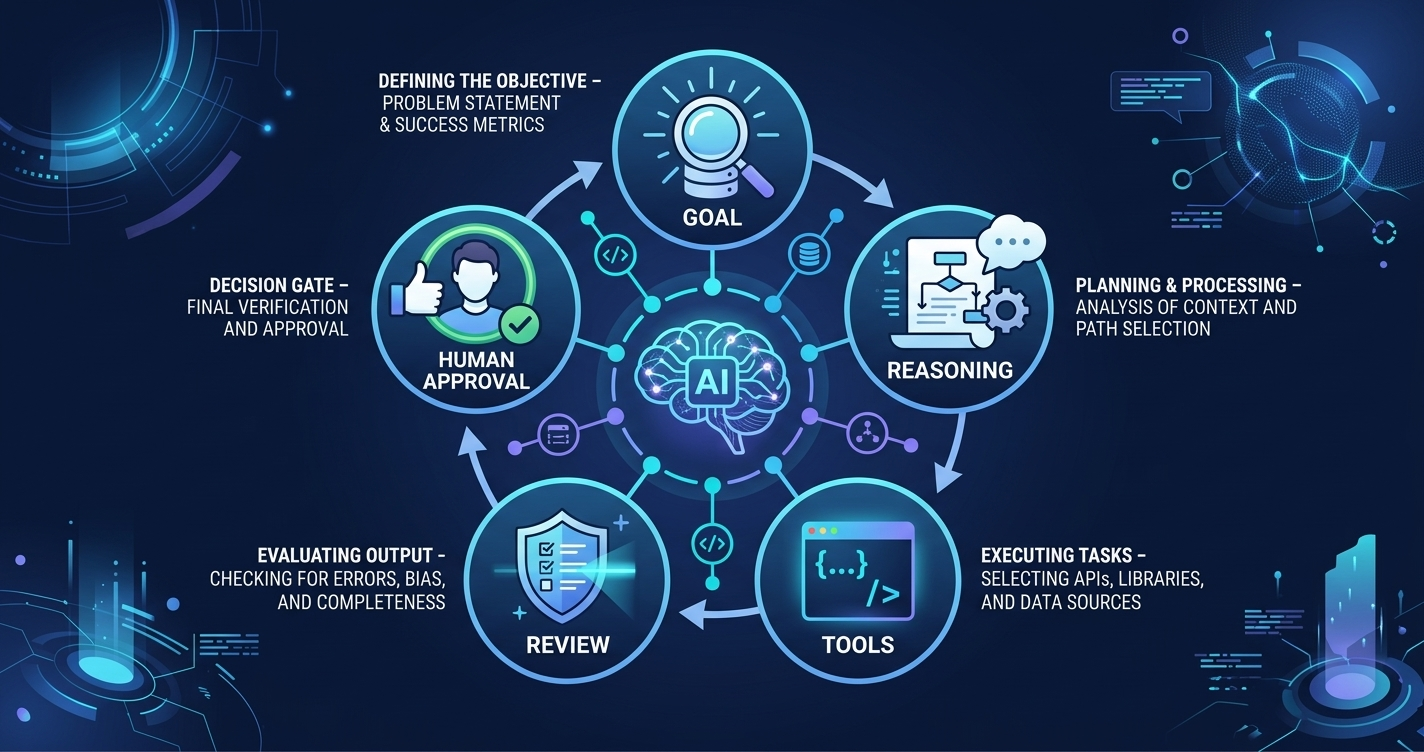
The goal tells the system what outcome matters. “Research 20 SaaS competitors and create a comparison report” is clearer than “find competitor information.” The clearer the goal and boundaries, the less room there is for useless actions.
The language model acts as the reasoning layer. It decides what information it needs, identifies a possible sequence of steps, and determines whether it should use a tool, ask for clarification, or stop. This is why an agent can handle tasks that do not fit into a simple, fixed checklist.
Tools give the agent the ability to do things outside a chat window. Depending on the system, those tools may search the web, retrieve files, run code, query a database, read a calendar, update a CRM, or call an approved API. OpenAI’s agent documentation explains that agents can plan multi-step work, use tools, collaborate with other agents, and maintain context across steps.developers.openai
Memory and context help the agent avoid treating every step as a brand-new conversation. It may use details from the current task, previous results, stored instructions, or an approved knowledge base. But stored context should be controlled carefully. Bad data can lead to bad actions.
Guardrails set the limits. They define what the agent cannot access, what it must ask permission to do, what data it may use, and when it must hand work back to a human. That is the part many beginners skip. It is also the part that determines whether an AI agent becomes genuinely useful or becomes an expensive source of mistakes.
A Simple Agentic AI Example
Imagine you run a small content website and want a weekly topic-research workflow.
- You give the agent a narrow goal: find recent, credible updates about a specific AI topic.
- The agent searches a pre-approved group of sources.
- It extracts the key facts, links, dates, and possible article angles.
- It checks the information against your rules, such as avoiding unsupported claims.
- It creates a research brief for you to review.
- You decide whether to approve the brief before any article is drafted or published.
That is agentic AI used responsibly. It saves research time without giving software permission to publish unreviewed claims.
The honest caveat: the agent should not independently publish an article, change important website settings, send outreach emails, or spend money unless you have tested that workflow and added approval steps.
Best Agentic AI Use Cases for Beginners
You do not need a computer-science degree to benefit from agentic AI. You do need a task with a clear input, a clear output, and a way to check whether the result is acceptable.
Research and Content Operations
For bloggers, creators, and freelancers, agentic AI can gather source material, turn notes into structured outlines, identify missing questions in a draft, create content briefs, and prepare editing checklists. It can reduce the time spent switching among browser tabs and documents.
If you create educational AI content, you can connect this workflow to Eblowee’s guide on the best AI tools for content creators. The key is to use an agent for preparation and verification support—not to turn unverified output into published information.
| Experience level | Practical use | Realistic value | Timeline |
|---|---|---|---|
| Beginner | Research briefs, outlines, FAQ ideas, content checklists | Saves 2–5 hours per week after setup | 1–2 weeks |
| Intermediate | Source collection, content audits, spreadsheet updates, repurposing workflows | Saves 5–10 hours per week | 2–6 weeks |
| Advanced | Custom research agents with APIs, databases, and approval flows | Can support client services or internal operations | 1–3 months |
The honest take: saving time is more realistic than immediately earning money. You make money only when the saved time helps you publish better work, serve more clients, or improve a process people already pay for.
Customer Support and Lead Handling
A support agent can classify incoming messages, find answers in your approved help documentation, draft replies, identify urgent cases, and send difficult issues to a person. A lead-handling agent can enrich a lead record, summarize what the prospect needs, and prepare a draft follow-up.
This works best when the agent can only use approved information. For example, it can answer shipping-policy questions from your knowledge base, but it should escalate refunds, legal questions, account access requests, and unusual complaints.
| Task | Good agent role | Do not fully automate |
|---|---|---|
| Common questions | Find the relevant approved answer and draft a response | Promising refunds or exceptions |
| Lead research | Summarize public company information | Claiming personal data or making eligibility decisions |
| Ticket triage | Tag urgency and assign the right queue | Closing sensitive complaints without review |
| Follow-ups | Draft personalized messages for approval | Sending high-volume outreach without quality controls |
The honest caveat: a wrong support response can cost more than the time you hoped to save. Start in draft mode, review results, then automate only the low-risk parts that remain accurate.
Freelance and Small-Business Operations
Freelancers can use agentic AI to turn client notes into task lists, organize meeting summaries, prepare project status updates, compare briefs against deliverables, and collect research before a client call. It can make you more organized, but it cannot replace actual skill.
For example, a freelance writer could use an agent to read a client brief, build a list of questions, check competitor pages, organize source links, and create a first outline. The writer still needs to verify facts, develop the angle, write original copy, and make editorial decisions.
This can work well beside Eblowee’s article on how to make money with AI tools. The opportunity is not selling “AI-generated work” as if no human touched it. The opportunity is delivering faster, better-organized work with your own expertise behind it.
| Experience level | Possible monthly income impact | What creates the value |
|---|---|---|
| Beginner | $0–$150 | Faster learning, better portfolio workflow, more consistent output |
| Intermediate freelancer | $150–$800 | More client capacity, faster research, improved delivery systems |
| Advanced specialist | $800–$3,000+ | Building and maintaining custom AI workflows for clients |
These are not guaranteed earnings. They are realistic ranges for productivity-based service improvement, not a promise that opening an AI tool produces income.
Agentic AI Tools and Building Options
There are two practical routes: use an existing agent feature inside software you already use, or build a custom workflow with an AI platform.
For non-technical users, existing software is usually the better starting point. Look for features that let you connect information sources, define a task, restrict actions, and approve sensitive steps. The exact product matters less than whether you can control the inputs and outputs.
For developers or technically confident users, platforms such as OpenAI provide tools for building agents. OpenAI’s documentation describes tools including web search, file search, code execution, remote Model Context Protocol servers, and custom functions. Its Agents API and Agents SDK support multi-step workflows, tool use, handoffs, and orchestration.developers.openai+1
| Option | Best for | What you need | Cost expectation | Timeline |
|---|---|---|---|---|
| Built-in AI features | Individuals and small teams | Clear task and basic software setup | Often included or subscription-based | Same day to 1 week |
| No-code automation with AI | Repeated business workflows | Connected apps, test data, approval rules | Subscription plus AI usage costs | 1–3 weeks |
| Custom agent with APIs | Developers and technical businesses | Coding, APIs, monitoring, security controls | Development plus ongoing model/tool costs | 1–3 months |
| Multi-agent system | Complex operational work | Strong engineering, evaluation, governance | Higher build and maintenance costs | Several months |
Anthropic’s guidance is especially useful here: start with the simplest solution, keep the agent’s work transparent, and document and test its tools carefully. You do not earn extra points for building a multi-agent system when one well-designed workflow would solve the problem.anthropic
The honest take: custom agents are not automatically cheaper than hiring help. You must count development time, model usage, maintenance, tool failures, security review, and the time required to check outputs.
How to Start Using Agentic AI Safely
Start with one low-risk workflow that happens repeatedly. Do not begin with an agent that can access your bank account, publish to your website, delete files, or send messages from your business email.
- Pick one repeatable task that takes at least 30 minutes each week.
- Define the exact input, expected output, and conditions that count as a good result.
- List the tools and data the agent actually needs—then remove everything else.
- Give it read-only access where possible.
- Add a required approval step before it sends, publishes, buys, changes, or deletes anything.
- Test the workflow with 10–20 real examples, including difficult ones.
- Track errors, time saved, cost, and the number of times a human had to correct it.
- Expand only after the workflow produces consistent, reviewable results.
For students, this could mean building a research assistant that organizes notes and identifies claims needing sources. Pair it with Eblowee’s guide to the best AI tools for students in 2026 to choose practical tools for research, writing support, and organization.
The Mistakes That Keep Most People From Using Agentic AI Well
The first mistake is treating an AI agent like a magic employee. You may give it a huge, vague task and expect a perfect result. Agents perform better when the goal is narrow, the success criteria are measurable, and the tool access is limited.
The second mistake is giving an agent too many permissions on day one. A research agent does not need access to your entire cloud drive. A content assistant does not need authority to publish articles. Start with read-only permissions and require human approval for every action that affects customers, money, accounts, or public content.
The third mistake is automating a broken process. If your customer-support documentation is outdated, an agent will spread outdated answers faster. Fix the process, organize the source data, and clarify your policies before you add AI.
The fourth mistake is measuring success by how human the agent sounds. A polished response can still be wrong. Measure whether the task was completed accurately, whether the agent followed your rules, how often a human corrected it, and whether the workflow created more value than it cost.
The fifth mistake is ignoring security and privacy. Do not upload client documents, private customer records, passwords, financial data, or confidential plans into a tool unless you understand its data controls and have permission to use that information. Agentic AI security involves identity, access policies, monitoring, and governance because agents can interact with data and external systems.microsoft
The Fastest Path to Agentic AI Results
Zero start: Choose one personal workflow, such as organizing research for an article or converting meeting notes into a task list. Run it manually with an AI tool first, document the steps, and add automation only after you know what a good output looks like.
Existing skill or audience: If you are already a writer, designer, marketer, virtual assistant, or developer, use agentic AI to improve a service you already sell. A content creator can combine agent-assisted research with the workflow in our guide to using ChatGPT to make money—but the human should still own fact-checking, strategy, and final quality.
Long term: Learn workflow design, data organization, API basics, prompt design, testing, and approval systems. Companies need people who can turn messy manual work into safe, measurable AI-assisted processes more than they need people who merely know how to write one clever prompt.
What Comes Next
Agentic AI will become less visible and more practical. Instead of visiting a separate “agent” website, you will increasingly see agent-style capabilities built into the tools you already use for documents, customer support, coding, research, and business operations.
That future will reward people who understand how work actually gets done. The best agentic AI users will not be the people who automate the most. They will be the people who choose the right task, provide clean information, build sensible limits, and stay accountable for the final outcome.
The honest truth is that agentic AI can give you leverage, not judgment. Let it collect, organize, draft, compare, and flag issues. Keep humans responsible for decisions involving accuracy, reputation, money, privacy, and customers.
Agentic AI is worth learning now because it is moving from an experimental feature into everyday software. But start small, measure outcomes, and earn the right to automate more.
The window to build practical AI workflow skills is open right now — but it is not going to stay open forever.
One workflow. Sixty days. That is the formula.