
Cloud Computing in 2026: The Best Guide to Understanding It
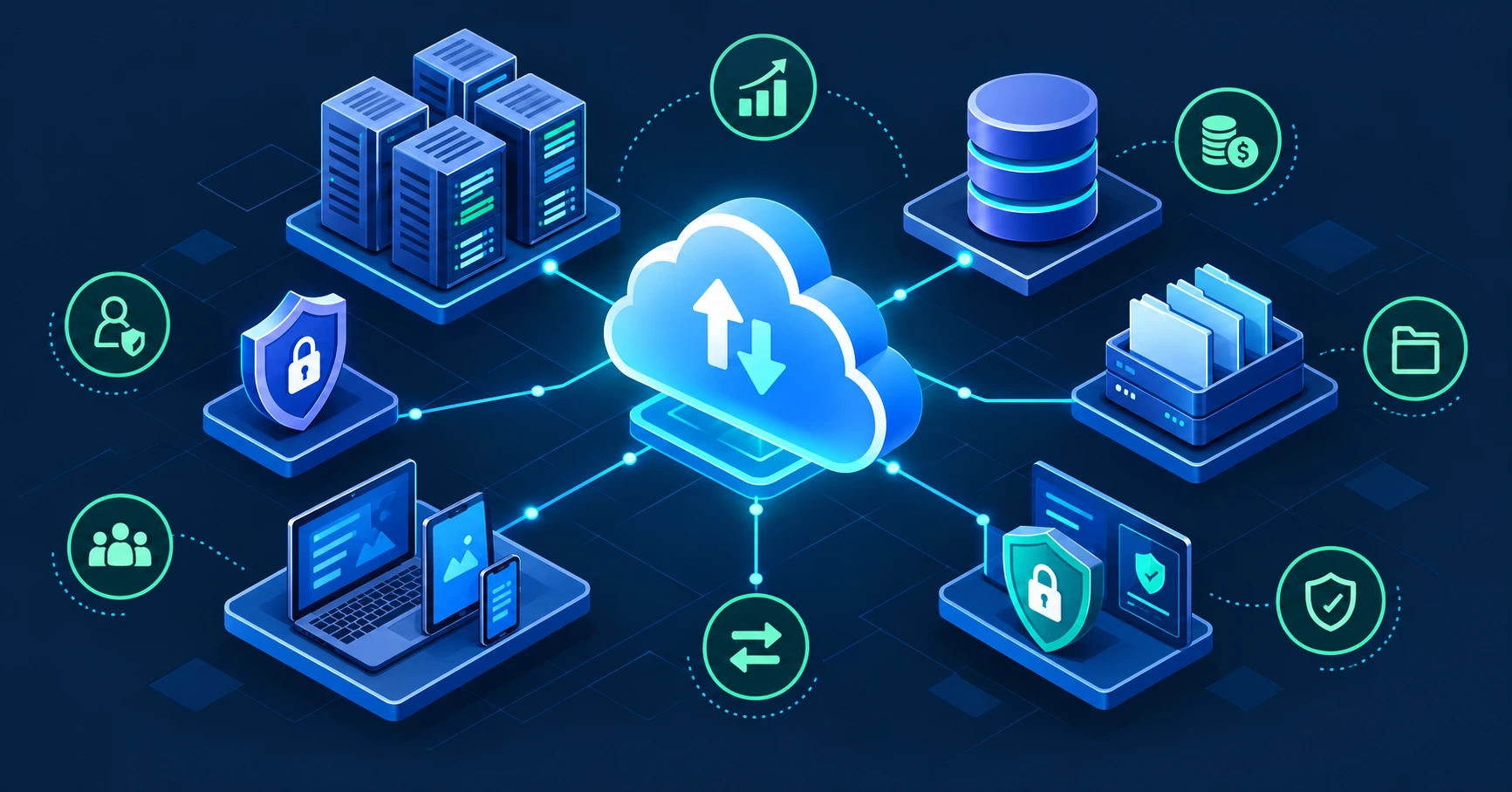
Cloud computing lets you rent computing resources—servers, storage, databases, networking, and software—over the internet instead of buying and maintaining physical hardware. You provision what you need, scale it when demand changes, and generally pay for what you use.
The practical value is flexibility: a startup can launch an app without buying servers, while a large company can scale storage or compute during peak demand. But cloud is not automatically cheaper or safer; costs, security configuration, data control, and vendor lock-in still require active management.oversight+1
What Cloud Computing Really Means
The U.S. National Institute of Standards and Technology (NIST) defines cloud computing as on-demand network access to a shared pool of configurable computing resources that can be rapidly provisioned and released with minimal management effort.nist+1
NIST identifies five essential characteristics:
-
On-demand self-service: users can provision resources without waiting for manual approval.
-
Broad network access: services are available over standard networks and devices.
-
Resource pooling: providers serve multiple customers from shared infrastructure.
-
Rapid elasticity: capacity can grow or shrink with demand.
-
Measured service: usage is monitored, controlled, and reported.nvlpubs.nist
In simple terms, cloud computing turns infrastructure into a utility. Instead of owning a data center, you rent capacity from providers such as Amazon Web Services, Microsoft Azure, or Google Cloud.azure.microsoft+1
The Honest Truth About Cloud Computing
Cloud does not eliminate IT responsibility—it changes it. The provider manages physical facilities, hardware, and core infrastructure, but you still own your data, identities, access controls, and often your applications and configurations.aws.amazon+1
The honest truth is that “the cloud is secure” is incomplete. Cloud providers can secure the underlying platform, but a misconfigured storage bucket, weak password policy, exposed API key, or overly broad permission can still create a serious breach. Security is shared, not outsourced.cloud.google+1
Cloud can also become expensive when teams leave resources running, choose oversized instances, transfer data between regions, or forget to shut down test environments. Pay-as-you-go pricing is flexible, but it requires monitoring and governance.aws.amazon+1
Cloud Service Models
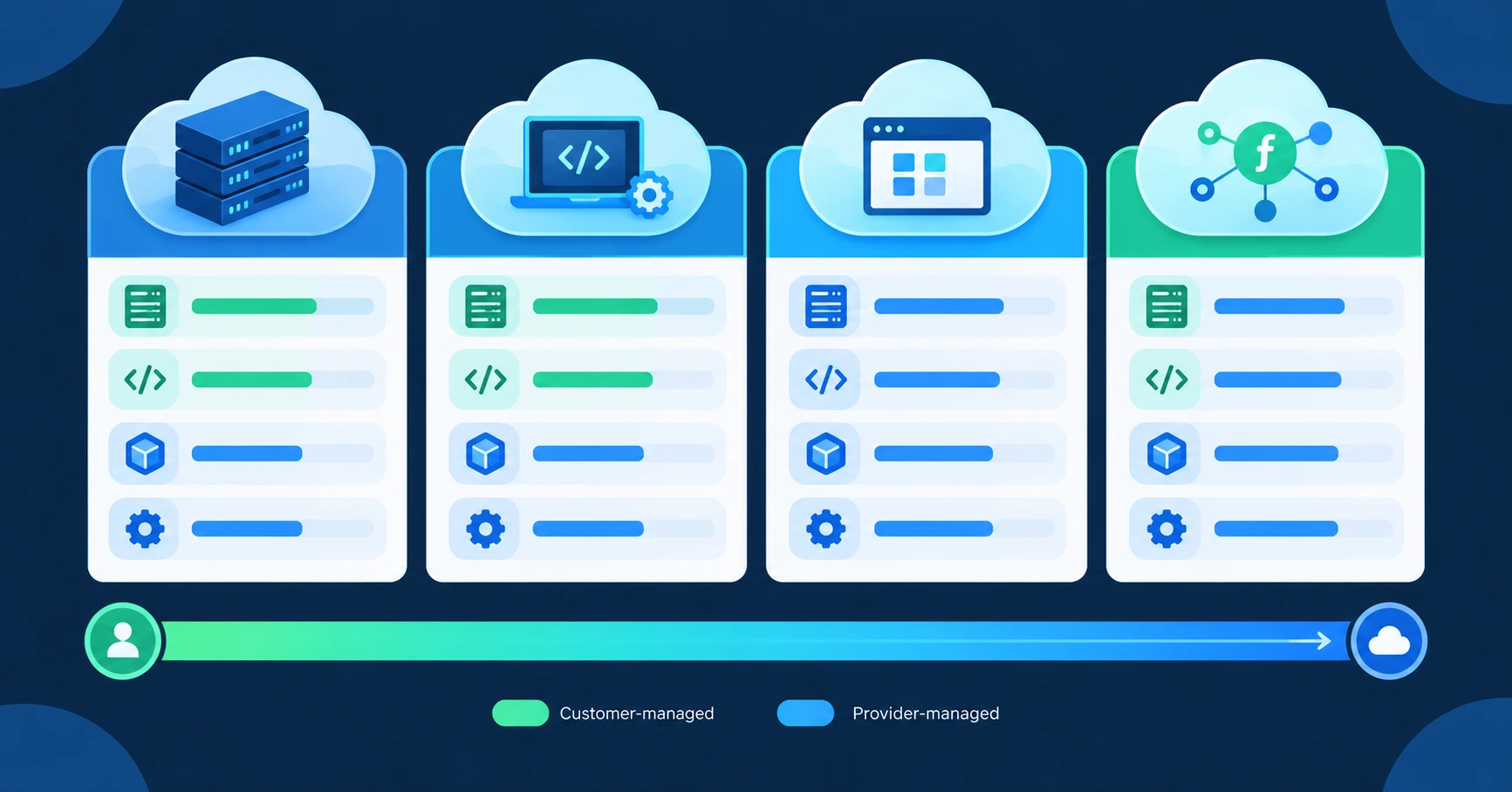
Cloud services are usually grouped by how much the provider manages for you. The more the provider manages, the less infrastructure work you handle—but also the less direct control you have.
| Model | What you get | What you manage | Typical examples |
|---|---|---|---|
| IaaS — Infrastructure as a Service | Virtual machines, storage, networking, and virtualization | Operating system, middleware, applications, data, access controls | AWS EC2, Azure Virtual Machines, Google Compute Engine |
| PaaS — Platform as a Service | A managed environment for building and deploying apps | Application code, data, user access | Azure App Service, Google App Engine, managed databases |
| SaaS — Software as a Service | A complete ready-to-use application | Your data, users, and access settings | Microsoft 365, Google Workspace, Salesforce |
| Serverless | Event-driven code execution without managing servers | Code, configuration, and access controls | AWS Lambda, Azure Functions, Google Cloud Functions |
AWS describes IaaS as the basic building blocks of cloud IT, PaaS as removing the need to manage hardware and operating systems, and SaaS as vendor-managed software delivered over the internet. Microsoft similarly says IaaS provides rented infrastructure, PaaS provides an application development environment, and SaaS delivers ready-to-use applications on demand.azure.microsoft+2
Cloud Deployment Models
Deployment models describe where the infrastructure lives and who controls it.
| Model | How it works | Best for | Main trade-off |
|---|---|---|---|
| Public cloud | Services run on a provider’s shared infrastructure | Startups, web apps, variable workloads | Less direct infrastructure control |
| Private cloud | Dedicated infrastructure for one organization | Regulated data, strict control needs | Higher cost and operational burden |
| Hybrid cloud | Combines private infrastructure with public cloud | Businesses with legacy systems or compliance needs | More complex to manage |
| Multicloud | Uses more than one cloud provider | Avoiding single-provider dependence | More integration and cost complexity |
Google Cloud identifies public, private, hybrid, and multicloud as deployment models, while IaaS, PaaS, SaaS, and serverless are service models. A hybrid approach can be useful when some data must stay on-premises, but it adds networking, security, and operational complexity.cloud.google
The Big Cloud Providers
AWS, Microsoft Azure, and Google Cloud dominate the cloud infrastructure market. In Q2 2026, Synergy Research estimated AWS at 28%, Azure at 20%, and Google Cloud at 15%, with the three together accounting for about 63% of cloud infrastructure revenue. 1003
| Provider | Best fit | Strengths | Considerations |
|---|---|---|---|
| AWS | Broadest range of cloud services | Large service catalog, mature ecosystem, extensive documentation | Pricing and service sprawl can become complex |
| Microsoft Azure | Microsoft-centric enterprises | Strong integration with Windows Server, SQL Server, Microsoft 365, and Entra ID | Licensing and enterprise agreements can be complex |
| Google Cloud | Data, analytics, AI, and cloud-native workloads | Strong data and AI services, automatic usage-based savings | Smaller enterprise ecosystem than AWS and Azure |
AWS says most of its services use pay-as-you-go pricing, with no long-term contracts required for many services, and offers Savings Plans for customers who commit to a one- or three-year usage level. Azure offers reservations, compute savings plans, and Azure Hybrid Benefit for customers with eligible existing licenses. Google Cloud offers $300 in free credits for new customers, more than 20 free products with usage limits, and committed-use discounts of up to 57% on eligible Compute Engine resources.aws.amazon+2
Why Businesses Use the Cloud
Cloud computing offers several practical advantages, but each benefit comes with a responsibility.
-
Lower upfront cost: You avoid buying servers and data-center capacity before you need it.
-
Scalability: You can add capacity during traffic spikes and reduce it afterward.
-
Speed: New environments, databases, and services can be provisioned quickly.
-
Global reach: Providers operate data centers and networks across regions.
-
Managed services: Providers handle hardware maintenance, physical security, and platform updates.
-
Reliability tools: Backups, redundancy, monitoring, and disaster-recovery services can improve resilience.
NIST notes that cloud computing can help organizations buy services more quickly, reduce infrastructure burden, and deliver solutions faster. But it also warns that cloud introduces complexity, shared multi-tenancy, internet-facing services, and reduced direct control over resources.oversight
Cloud Security: What You Control
Cloud security follows a shared responsibility model. The provider secures the cloud; you secure what you put in the cloud.
| Responsibility | Provider | Customer |
|---|---|---|
| Physical data centers and hardware | Yes | No |
| Core network infrastructure | Yes | No |
| Hypervisor and platform layer | Yes, depending on service model | Sometimes |
| Operating system patches | Provider on PaaS/SaaS; customer on IaaS | Customer on IaaS |
| Application code and configuration | Shared | Customer |
| Identity and access management | Shared tools | Customer |
| Data classification and encryption choices | Shared tools | Customer |
| User accounts and permissions | Shared tools | Customer |
AWS says customers using EC2 are responsible for guest operating system patches, installed software, and security-group configuration, while AWS manages the underlying infrastructure. For services such as S3 and DynamoDB, customers remain responsible for data management, encryption choices, asset classification, and permissions.aws.amazon
Microsoft says customers always own their data and identities, and remain responsible for protecting data, identities, endpoints, and the cloud components they control. Google Cloud similarly says customers remain responsible for access policies and data across service models.learn.microsoft+1
Cloud Costs: Why Bills Get Out of Control
Cloud pricing is flexible, but that flexibility makes overspending easy. A forgotten virtual machine, oversized database, unused storage volume, or constant cross-region data transfer can quietly increase a monthly bill.
AWS describes its model as paying only for the services you use, with no termination fees for most pay-as-you-go services. It also offers tiered pricing, Savings Plans, and volume discounts. Azure and Google Cloud offer similar consumption-based pricing, along with calculators, budgets, alerts, and recommendations for reducing waste.aws.amazon+2
The main cost drivers are:
-
Compute: virtual machines, containers, GPUs, and serverless executions.
-
Storage: object storage, disks, backups, and archived data.
-
Data transfer: especially data leaving a provider’s network, known as egress.
-
Databases: managed database capacity, storage, backups, and read replicas.
-
AI workloads: GPUs, model inference, and large-scale data processing.
-
Idle resources: development servers, unattached disks, old snapshots, and unused IP addresses.
A useful FinOps practice is to tag every resource with an owner, environment, project, and cost center. That makes it possible to see which team or product is responsible for spending, rather than treating cloud cost as one undifferentiated IT bill.flexera+1
How to Control Cloud Costs
Cloud cost management works best as an ongoing process, not a one-time cleanup. FinOps is the practice of bringing finance, engineering, and business teams together to make cost-aware decisions using real-time usage data.flexera
-
Set budgets and alerts before deploying workloads.
-
Tag resources by owner, project, environment, and cost center.
-
Review idle and underused resources weekly.
-
Right-size virtual machines based on actual utilization.
-
Use autoscaling for variable traffic.
-
Move infrequently accessed data to cheaper storage tiers.
-
Reduce cross-region and internet data transfer where possible.
-
Use reserved capacity or savings plans only for stable workloads.
-
Shut down non-production environments outside working hours.
-
Track unit costs, such as cost per customer, order, or transaction.
FinOps guidance emphasizes collaboration, accountability, timely reporting, and connecting cloud spending to business outcomes rather than reviewing raw costs in isolation. Practical optimization includes rightsizing, removing idle resources, tiering storage, and controlling egress early.flexera+2
Vendor Lock-In and Data Control
Vendor lock-in happens when moving away from a cloud provider becomes difficult, slow, or expensive. It can result from proprietary services, custom integrations, data formats, contracts, or deeply embedded architecture.gov
The UK Government notes that even pay-as-you-go cloud contracts can create technical lock-in, because switching providers may require substantial rework. It recommends retaining ownership of intellectual property and data, choosing open standards where possible, and planning for exit options.gov
To reduce lock-in:
-
Keep exports of critical data.
-
Prefer open formats and portable architectures where practical.
-
Avoid proprietary services for core systems unless the benefit is clear.
-
Document dependencies and infrastructure as code.
-
Test recovery and migration procedures.
-
Understand data residency, encryption, and access-control requirements.
Cloud sovereignty is also becoming more important. It involves not only where data is stored, but who can access it, who operates the system, and how it is governed. Strong identity controls, customer-managed encryption, and clear exit plans can reduce dependence on a single provider.pwc
How to Choose a Cloud Strategy
Choose based on your workload, not the provider with the largest feature list.
-
Identify your workloads: website, internal app, database, analytics, AI, or backup.
-
Classify data sensitivity and compliance requirements.
-
Decide whether you need IaaS, PaaS, SaaS, serverless, or a mix.
-
Estimate compute, storage, database, and data-transfer needs.
-
Compare provider regions, services, pricing, and support.
-
Start with a small pilot and measure cost, performance, and security.
-
Set budgets, alerts, tagging rules, and access controls from day one.
-
Review usage monthly and adjust architecture as needs change.
A simple starting approach is to use SaaS for email and collaboration, PaaS or serverless for a new web application, and IaaS only when you need direct control over operating systems or custom infrastructure.azure.microsoft+1
The Mistakes That Keep Cloud Projects From Succeeding
The first mistake is treating cloud as automatically cheaper. Cloud reduces upfront hardware spending, but poor architecture, idle resources, and uncontrolled data transfer can make it more expensive than expected.aws.amazon+1
The second mistake is assuming the provider handles all security. Providers secure the underlying cloud, but customers remain responsible for data, identities, access policies, and many application-level controls.aws.amazon+2
The third mistake is choosing a provider before defining the workload. AWS, Azure, and Google Cloud all offer strong services, but their pricing, ecosystems, and strengths differ. The right choice depends on your existing software, compliance needs, and team skills.kanerika+1
The fourth mistake is ignoring egress costs. Moving data out of a cloud provider can cost more than expected, especially for media, backups, analytics, and high-traffic applications. Keep data and compute close together where possible.cloudkeeper
The fifth mistake is skipping exit planning. If your data, identity system, and applications are tightly tied to one provider, migration later can become expensive. Keep export paths, documentation, and portable architecture in mind from the beginning.gov
The Fastest Path to Cloud Success
Starting from zero: Use SaaS for email, documents, and collaboration. If you are building an app, start with a managed PaaS or serverless service rather than managing virtual machines.
Small business: Use Microsoft 365 or Google Workspace for productivity, cloud storage for files, and a managed website or app platform. Avoid running your own servers unless you have a specific reason.
Developer or startup: Start with one cloud provider, use infrastructure as code, enable budgets and alerts, and keep production separate from development. Add multicloud only when a real business need appears.
Enterprise: Begin with a workload assessment, classify data, define security ownership, and build a FinOps process. Use hybrid or multicloud only where compliance, resilience, or existing systems justify the added complexity.
For a practical example of cloud-connected productivity tools, see Eblowee’s guide to productivity tools.
What Comes Next
Cloud computing is increasingly shaped by AI workloads, data sovereignty, cost governance, and hybrid architectures. The useful shift is not simply moving everything to the cloud—it is choosing the right service model for each workload and managing cost, security, and portability continuously.
The best cloud strategy is boring and disciplined: clear ownership, least-privilege access, monitored spending, tested backups, and an exit plan. That foundation matters more than chasing every new managed service.
Match the workload to the service model, then control cost and security from day one. That is the simplest way to avoid cloud surprises.
The window to build a disciplined cloud foundation is open right now — but it is not going to stay open forever.
One workload. One owner. That is the formula.
What is cloud computing in simple terms?
Cloud computing means using computing resources—such as servers, storage, databases, networking, and software—over the internet instead of owning and maintaining physical hardware. You can provision resources on demand and generally pay for what you use.
What are IaaS, PaaS, and SaaS?
IaaS gives you rented infrastructure such as virtual machines, storage, and networking. PaaS gives you a managed environment for building and deploying applications. SaaS gives you a complete ready-to-use application, such as Microsoft 365 or Google Workspace.
Is cloud computing secure?
Cloud can be secure, but security is shared. Providers secure physical data centers, hardware, and core infrastructure, while customers remain responsible for data protection, user access, identity management, and many application configurations. Misconfigured permissions and exposed credentials remain common risks.