
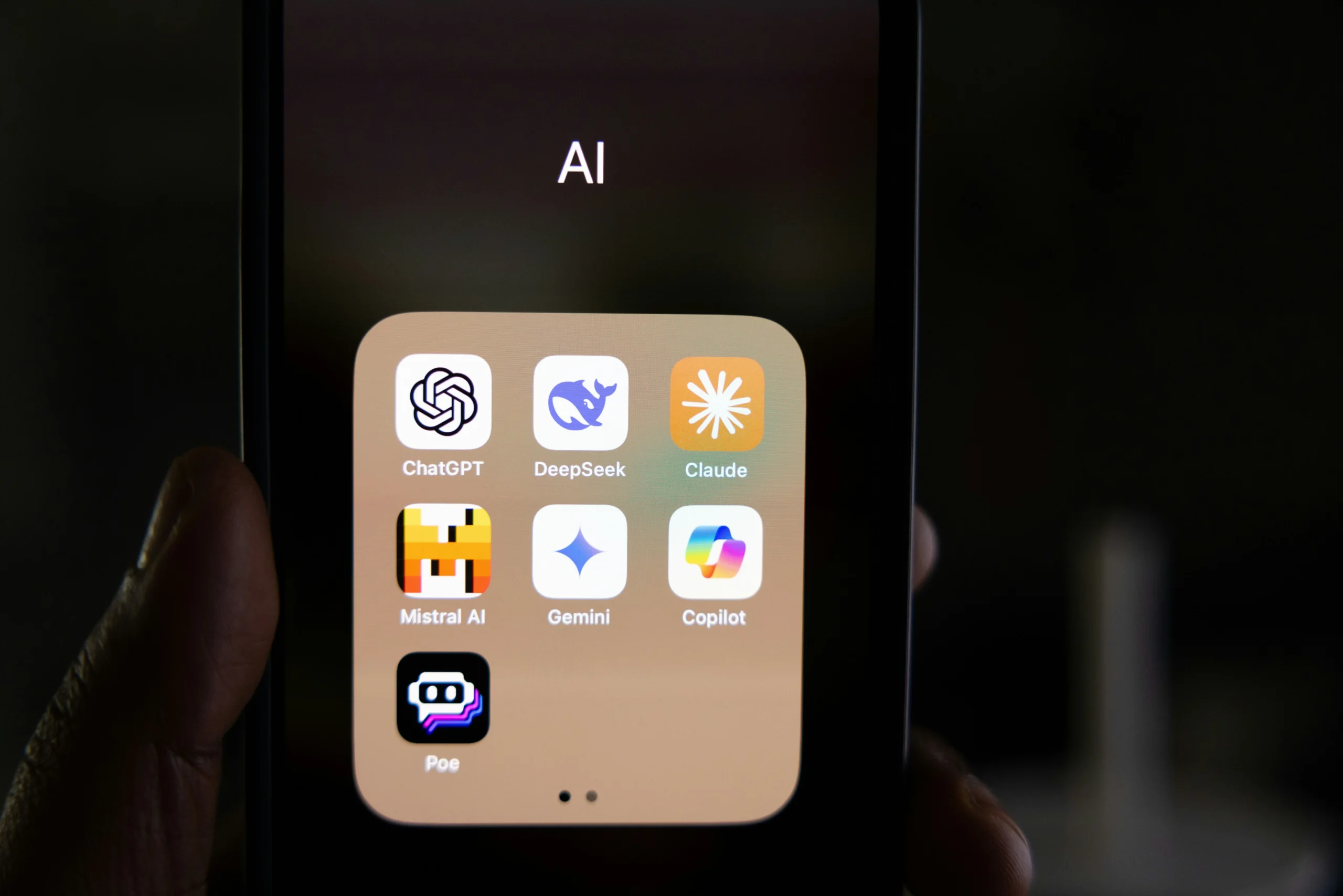
Here is a number that should change how you think about content creation in 2026.
Eighty-five percent of marketers now use AI tools in their workflows — up from 61% just three years ago. And 94% plan to increase their AI usage before the year ends. That is not a trend. That is a permanent shift in how content gets made.
The creators who are pulling ahead in 2026 are not working harder than everyone else. They are working with better tools — and more importantly, they know which tools to use for which job. A writer using AI to draft, research, and optimise content produces three to four times more output per week than one who does not. A video creator using AI generation tools produces content that used to require a full production team. A social media manager using AI scheduling and caption tools handles twice as many clients in the same hours.
The question in 2026 is not whether to use AI tools for content creation. It is which ones actually deliver — and which ones are just expensive subscriptions that slow you down with features you never use.
I have done the research. Here are the best AI tools for content creators in 2026 — honestly reviewed, with real use cases and no affiliate bias.
Why AI Tools for Content Creators Are Different in 2026
Three years ago, AI content tools meant grammar checkers and basic text generators that produced output nobody wanted to read. In 2026, the category spans tools that generate broadcast-quality video from a text prompt, clone your voice for podcast editing, build entire SEO content strategies from a keyword, and schedule social media posts across six platforms simultaneously.
The shift that matters most for content creators specifically is the move from standalone tools to integrated workflows. In 2026, the best AI tools do not just perform one task — they connect to the platforms you already use and fit into the production system you have already built. Native AI within your content management system saves an average of 2.5 hours per week compared to switching between disconnected tools. That time compounds significantly over a year of consistent content production.
The honest reality: the competitive advantage has shifted from “using AI” to “having AI integrated into a system.” The tool matters less than the workflow around it. A creator with a disciplined system using three AI tools well outperforms one with twelve subscriptions they barely understand.
Tool 1 — ChatGPT (Best All-Around Writing and Ideation Tool)
ChatGPT remains the most widely adopted AI tool among content creators in 2026 — used by 44% of marketers for content creation, according to current data. The reason is versatility. No other tool handles the full range of writing tasks — ideation, outlining, drafting, editing, repurposing — as effectively across as many content formats.
For content creators specifically, ChatGPT’s most valuable applications are generating content calendars from a single brief, repurposing long-form articles into social media posts and email newsletters, brainstorming angles for topics that feel exhausted, and drafting scripts for video content. The free version handles all of these adequately. ChatGPT Plus at $20 per month adds real-time web browsing, image generation, and significantly improved performance on complex, nuanced tasks.
The honest caveat: ChatGPT does not replace editorial judgment. Raw ChatGPT output requires human direction, fact-checking, and voice alignment before it represents quality content. Creators who understand this — who use it as a production accelerator rather than a ghostwriter — consistently produce better work faster. Those who do not end up with content that reads like AI wrote it, because it did.
If you want to understand how ChatGPT specifically generates income for content creators beyond just production speed, our guide on how to use ChatGPT to make money in 2026 covers every method in detail.
Best for: Writers, bloggers, social media managers, and any creator who produces text-based content at volume.
Tool 2 — Canva AI (Best for Visual Content Creation)
Canva AI is the tool that has most dramatically democratised visual content creation for non-designers — and in 2026, its AI capabilities have expanded well beyond the basic template-and-drag-drop experience most people associate with the platform.
Magic Studio, Canva’s integrated AI suite, now includes text-to-image generation, background removal, AI-powered design suggestions, Magic Write for caption and copy generation, and an AI presentation builder that creates complete slide decks from a brief. For content creators who are not trained designers — which is most of them — these features genuinely close the gap between what they can produce independently and what previously required a designer.
The specific workflow that works best for content creators: use Canva AI to generate a batch of social media graphics, thumbnail options, and newsletter headers in a single session, then schedule them across platforms using Buffer or Later. What used to take half a day now takes two hours. For creators who want to earn income from Canva’s design capabilities beyond their own content, our guide on how to make money selling digital products in 2026 shows how Canva templates generate passive income on platforms like Etsy and Gumroad.
Best for: Social media content creators, bloggers who need visual assets, YouTube thumbnail creators, and anyone producing multi-platform content who is not a trained designer.
Tool 3 — Descript (Best for Video and Podcast Editing)
Descript is the tool that fundamentally changed how video and podcast creators edit their content — and in 2026, nothing else in the budget content creator space comes close to what it delivers.
The core concept: Descript transcribes your video or audio and lets you edit the media by editing the text. Delete a word from the transcript, and the corresponding audio or video clip is removed. This means a 45-minute podcast interview that used to take three hours to edit takes 45 minutes. For creators who spend significant time on post-production, the time saving is immediate and substantial.
Beyond text-based editing, Descript’s AI features include automatic filler word removal with one click, Studio Sound which removes background noise and echo from any recording, Overdub which clones your voice to fix audio mistakes by typing, and Green Screen background removal. For YouTube creators, podcasters, and anyone producing video content, these features remove the most time-consuming parts of post-production without requiring professional editing software knowledge.
Realistic time saving: Descript users report cutting video and podcast editing time by 40% to 60% on average. For a creator publishing two pieces of long-form content per week, that is 3 to 6 hours saved weekly.
Best for: YouTubers, podcasters, course creators, and any content creator who spends significant time on video or audio editing.
Tool 4 — ElevenLabs (Best for AI Voiceover and Audio)
ElevenLabs is the tool that has made professional-quality voiceover accessible to every content creator — regardless of their on-camera comfort or recording setup.
The platform’s voice cloning and text-to-speech capabilities are the most realistic available in 2026. A creator can clone their own voice from a short sample and use it to narrate content they type — eliminating re-recording sessions, handling corrections without re-recording entire sections, and producing audio in multiple languages from a single source recording. The voice output is consistently indistinguishable from human narration at normal listening speeds.
For content creators building faceless YouTube channels, online courses, or audio content without wanting to record their own voice, ElevenLabs is the most important tool in the stack. For creators who already record their own voice, it handles corrections, dubs content in other languages, and generates audio for segments recorded in poor conditions. If you want to understand how faceless content channels using AI voiceover generate income, our guide on the best YouTube niches for AI content in 2026 covers the highest-earning formats in detail.
Best for: Faceless YouTube channel creators, online course producers, podcast creators, and any creator producing audio or narrated video content at scale.
Tool 5 — Notion AI (Best for Content Planning and Organisation)
Notion AI combines one of the most powerful content organisation platforms with an integrated AI assistant — and for content creators managing editorial calendars, research databases, and multi-platform production workflows, it solves the organisation problem that derails most ambitious content strategies.
The AI layer allows creators to draft content from meeting notes, generate content calendar ideas from a single brief, summarise research for faster article production, and maintain consistent brand voice across all content types. Integrated AI within your content management system saves an average of 2.5 hours per week compared to switching between separate planning and writing tools.
The specific workflow: build your editorial calendar in Notion, use AI Autofill to populate content ideas and angles for each planned piece, then draft directly in Notion using the AI assistant to expand outlines into full articles. This keeps the entire production system in one place — which reduces the context switching that fragments creative work. For students who are also building content channels alongside their studies, our guide on the best AI tools for students in 2026 shows how Notion AI applies to academic work using the same core features.
Best for: Content creators managing complex editorial calendars, teams producing content across multiple formats, and any creator who needs a single system connecting planning, research, and production.
Tool 6 — Surfer SEO (Best for SEO-Optimised Content)
For content creators who want their work to rank on Google — bloggers, newsletter writers, and anyone producing written content for search — Surfer SEO is the tool that most directly connects content production to search performance.
Surfer analyses the top-ranking pages for any keyword and provides a real-time content score, keyword density recommendations, heading structure guidance, and internal linking suggestions as you write. Unlike keyword tools that give you data separately from your writing environment, Surfer integrates directly into Google Docs and WordPress — which means SEO optimization happens during drafting, not as a separate revision step.
The specific workflow that works for content creators: use ChatGPT to generate a first draft, paste it into Surfer’s content editor, and use Surfer’s recommendations to optimise it for search before publishing. This two-tool combination — ChatGPT for production speed, Surfer for search performance — is the most widely used content creation workflow among bloggers earning $3,000 or more per month in 2026.
Best for: Bloggers, affiliate marketers, content agencies, and any creator whose income depends on organic search traffic.
Tool 7 — Buffer with AI Assistant (Best for Social Media Scheduling)
Buffer is the social media scheduling platform that has most effectively integrated AI into its core workflow — and for content creators managing multiple platforms simultaneously, it solves the most time-consuming part of social media management.
Buffer’s AI Assistant generates captions, suggests hashtags, recommends optimal posting times based on audience engagement data, and repurposes long-form content into platform-specific formats. A blog post becomes a Twitter thread, a LinkedIn article, and five Instagram captions — all generated from the same source content in minutes. The scheduling layer then distributes this content across platforms automatically.
For content creators who are building a social media presence alongside their primary content channel — which in 2026 is almost everyone — Buffer’s AI integration removes the production bottleneck that stops most creators from showing up consistently across multiple platforms. If you want to understand how social media management as a service generates income using these tools, our guide on how to earn money from TikTok in 2026 covers how creators monetise multi-platform presence effectively.
Best for: Content creators managing multiple social media platforms, social media managers handling client accounts, and any creator who needs to maintain consistent presence across platforms without dedicating hours to manual posting.
Tool 8 — Runway (Best for AI Video Generation)
Runway is the tool that has most dramatically changed what is possible for independent video content creators in 2026 — and the one that represents the largest shift from how video content was made just two years ago.
Runway’s Gen-3 Alpha model generates cinematic video clips from text prompts or reference images. A content creator can describe a scene — “a person walking through a neon-lit Tokyo street at night, cinematic, shallow depth of field” — and receive a professional-quality video clip in minutes. The same clip would have required location shooting, professional equipment, and a production team three years ago.
For content creators, the most practical applications in 2026 are b-roll generation for YouTube videos and social content, intro and transition sequences for courses and presentations, product visualization for digital and physical products, and background scenes for talking head videos. High-definition text-to-video generation costs dropped 40% between 2025 and 2026 — making Runway significantly more accessible than its early adoption price point.
The honest limitation: Runway generates clips of 4 to 10 seconds, not full scenes. It works best as a component in a larger production workflow, not as a standalone video creator. Creators who understand this use it to elevate existing content — not to replace the entire production process.
Best for: YouTubers, social media video creators, course producers, and any creator who needs high-quality visual assets without a production team or location shoot budget.
| AI Tool | Best For | Main Use | Price | Ideal For |
|---|---|---|---|---|
| ChatGPT | Writing & ideation | Drafting, research, repurposing | Free / $20 mo. | Writers & bloggers |
| Canva AI | Visual content | Graphics, thumbnails, presentations | Free / Paid | Social creators |
| Descript | Video & podcast editing | Transcript-based editing | Free / Paid | YouTubers & podcasters |
| ElevenLabs | AI voiceover | Voice cloning & narration | Free / Paid | Faceless creators |
| Notion AI | Content planning | Calendars, research & organisation | Free / Paid | Content teams |
| Surfer SEO | SEO content | Optimization & internal linking | Paid | Bloggers & affiliate marketers |
| Buffer | Social scheduling | Captions, repurposing & scheduling | Free / Paid | Social media creators |
| Runway | AI video generation | B-roll & cinematic clips | Paid | Video creators |
The Honest Guide to Building an AI Content Creation Stack
Most guides will tell you to use twenty tools. Here is the honest short version.
You do not need every tool on this list. You need the tools that address your specific production bottlenecks — the parts of your workflow that currently take the most time for the least output.
If you write primarily: ChatGPT plus Surfer SEO is the combination that produces the most impact per dollar spent. Add Canva AI for visual assets and you have covered 80% of what most written content creators need.
If you produce video: Descript plus ElevenLabs handles the production and audio layers that consume the most time. Add Runway for visual asset generation once your workflow is established.
If you manage social media: Buffer’s AI Assistant plus Canva AI handles scheduling and visual production. ChatGPT handles caption writing and content repurposing.
The mistake most creators make is subscribing to too many tools at once and using none of them deeply enough to see results. Pick two tools that address your biggest bottleneck. Use them consistently for sixty days. Then add the next one.
For creators who want to turn their AI content creation skills into direct income — beyond just producing their own content — our guide on how to make money with AI tools in 2026 covers every method available.
What Comes Next for AI Content Creation Tools
The tools available to content creators in 2026 are already more capable than anything available eighteen months ago — and the pace of improvement is accelerating. Video generation quality that required $10,000 of compute in 2024 runs for cents in 2026. Voice cloning that took hours of training audio now works from a 30-second sample. SEO tools that analysed one keyword now map entire content strategies.
The creators who build their workflows around AI tools now — who learn which tools solve which problems and integrate them into consistent production systems — will have a compounding advantage over the next two years as the tools continue to improve around the workflows they have already built.
The window to get ahead of the adoption curve is still open. Two tools. One workflow. Sixty days. That is the formula.
What are the best AI tools for content creators in 2026?
The best AI tools depend on the type of content you create. ChatGPT is the strongest all-around option for writing and ideation, Canva AI is useful for visual content, Descript is designed for video and podcast editing, ElevenLabs handles AI voiceover, Surfer SEO helps optimise written content for search, Buffer simplifies social media scheduling, and Runway is useful for AI-generated video.
What is the best AI tool for writing content?
ChatGPT is the best all-around AI writing tool for content creators because it can help with brainstorming, outlining, drafting, editing, repurposing, and creating content calendars. For creators who rely heavily on organic search traffic, combining ChatGPT with Surfer SEO can provide both faster production and SEO optimisation.
Which AI tools are best for video content creation?
Descript, ElevenLabs, and Runway are the strongest choices for different parts of the video workflow. Descript is best for editing video and podcasts through transcripts, ElevenLabs is useful for AI voiceovers and voice cloning, and Runway is designed for generating visual clips and B-roll. Using them together can reduce the amount of manual production work required.
How many AI tools does a content creator actually need?
Most content creators do not need every AI tool available. The better approach is to choose two tools that solve the biggest bottlenecks in your workflow and use them consistently before adding more. For example, a writer might start with ChatGPT and Surfer SEO, while a video creator could begin with Descript and ElevenLabs. The goal is to build an integrated workflow rather than collect unnecessary subscriptions.