
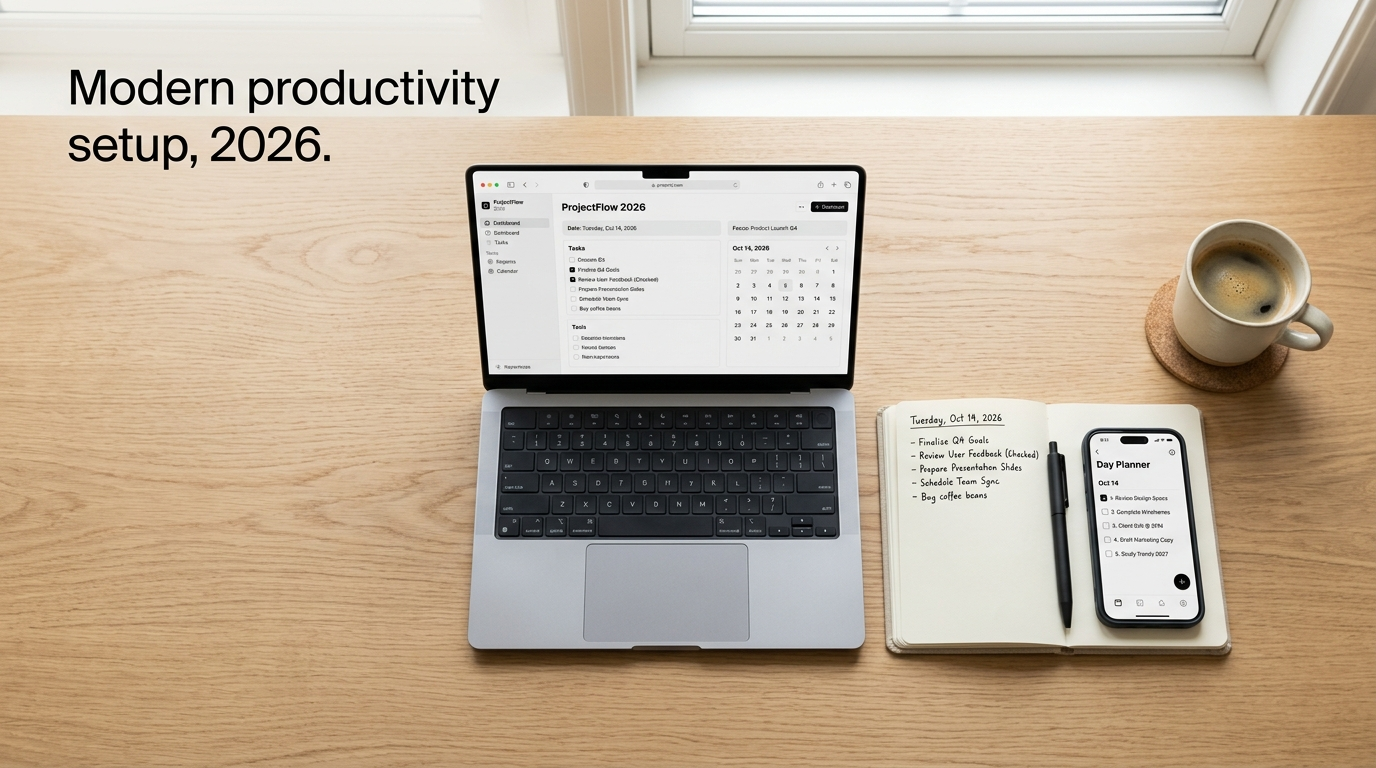
I’ve spent the better part of this year testing, breaking, and rebuilding my own productivity stack — everything from AI apps that live on my phone to a literal steel cabinet sitting in my garage. Somewhere along the way I realized “productivity tools” isn’t just a software category anymore. It spans cognitive apps for people whose brains work differently, industrial storage for people who build things with their hands, enterprise systems that keep factories running, and even the launch strategy behind the tools themselves.
This post pulls all of that together. Whether you’re a student trying to stop losing track of assignments, a developer juggling ten browser tabs, a small business owner organizing a workshop, or someone prepping to launch an academic AI tool on Product Hunt — there’s something here for you.
Why Standard Productivity Systems Fail So Many People
Here’s something I learned the hard way: most productivity systems are built for a brain that doesn’t struggle with starting tasks. Getting Things Done, rigid time-blocking calendars, elaborate Notion templates — they all assume you’ll consistently show up, tag things correctly, and stick to a schedule.
For people with ADHD (and honestly, for a lot of overwhelmed professionals too), that assumption breaks down fast. Executive dysfunction hits working memory, task initiation, and time perception. When a task manager demands you pick a category, due date, and priority level before you can even save an idea, that friction alone is often enough to make someone abandon the task — or the whole app.
This is exactly why a new wave of AI productivity tools has shown up over the last couple of years, helping people remove friction from their workflows and even make money with AI tools.
AI and ADHD-Friendly Productivity Tools Worth Trying
I’ve bounced between a handful of these apps myself, and each one solves a slightly different problem.
Fabric works like a spatial AI workspace — you dump screenshots, voice notes, PDFs, and links into it, and instead of forcing you into folders, it lets AI index everything semantically so you can search by “that thing about the client meeting” instead of remembering a filename. It has a free tier with a $5/month Plus plan, and it’s available across web, iOS, Android, and desktop.
Goblin Tools, specifically its Magic ToDo feature, is the one I reach for when a task feels too big to start. You type something vague like “clean out my inbox” and it breaks it into small, sequential steps. It’s free on the web with a low-cost mobile app.
Hypermonkey takes a more gamified approach — voice-first capture through what they call the “Yap Zone,” plus streaks and micro-rewards to keep motivation going. Pricing ranges from free to a $69.99 lifetime option, and it’s currently on Android and iOS with macOS reportedly planned.
Recallify focuses on voice-first memory capture, which is great if your working memory tends to drop ideas the moment you switch tasks — it automatically extracts action items from what you say.
Then there are the more established names: Todoist for structured natural-language task entry, Things 3 if you want a clean, minimalist Mac/iOS-only manager, Notion and Obsidian for people who don’t mind a bit of manual setup in exchange for total customization, Focusmate for virtual body-doubling sessions, and Tiimo for visual daily timelines that help with time blindness.
| Tool | Best For | Cost |
|---|---|---|
| Fabric | Zero-maintenance idea capture | Free / $5 mo |
| Goblin Tools | Breaking big tasks into steps | Free / low-cost app |
| Hypermonkey | Gamified habit building | Free–$69.99 lifetime |
| Todoist | Structured task lists | Free / $5 mo |
| Things 3 | Minimalist Apple-only planning | One-time $10–$50 |

A Quick Word of Caution on Search Results
While researching this space, I ran into something worth flagging: if you search around ADHD productivity tools, you’ll sometimes stumble on odd, unrelated domains mixed into the results — one example that came up repeatedly was extremechat.net, which has nothing to do with productivity software at all. This is a known pattern with programmatic SEO scraping, where bots harvest trending search terms and stitch them onto unrelated pages, sometimes alongside adult content or spam link farms, just to capture search traffic. If a site feels off-topic or oddly generic when you land on it, trust that instinct and back out. It’s a good reminder to stick to known, reviewed apps rather than clicking every result that shows up for “adhd productivity tools.”
For a broader list of vetted ADHD tools, ADDA’s resource page is a solid, credible starting point.
Physical Productivity: The NewAge Products Bold Series 4-Drawer Rolling Tool Cabinet
Not all productivity tools live on a screen. If you’ve ever worked in a garage or workshop with tools scattered across three different surfaces, you know that physical organization is its own productivity discipline.
I looked closely at the NewAge Products Bold Series 4-Drawer Rolling Tool Cabinet (Model 50003/50041) because it keeps coming up in workshop and garage-organization circles, and the specs genuinely hold up. It’s built from 24-gauge cold-rolled welded steel, which keeps the frame from twisting under load — something cheaper cabinets struggle with once you start stacking heavier equipment.
Here’s what stood out to me:
The cabinet has a 600 lb total weight capacity, with each of the four drawers rated for 100 lbs on full-extension double ball-bearing slides. That means you can load up torque wrenches, castings, or dense hardware without the drawers binding or sagging. The top worktop surface adds another 200 lbs of usable space. It rolls on 4-inch heavy-duty anti-tip locking casters, so it’s mobile enough to wheel out to a job and stable enough not to tip when a lower drawer is fully extended and loaded.
Assembled with casters on, it measures roughly 20.75″–24″ wide, 16″ deep, and 33.1″–35″ tall — small enough to slide under a standard 36-inch workbench. The Sandtex powder-coated finish resists rust and chemical spills, which matters a lot if you’re in a humid garage or a shop with regular fluid spills. It also comes with a single-key central lock that secures all drawers at once, and anti-slip drawer liners that cushion tools during transport.
If you’re building out a full garage system, it also integrates into NewAge’s larger Bold Series suites (7-piece, 9-piece, 10-piece), docking under a bamboo or stainless worktop when it’s not being rolled around. You can check current pricing and configurations at Home Depot’s product listing or Wayfair.

Production Resource Tools (PRT): Enterprise-Level Productivity in SAP
Zooming way out from the garage, there’s a whole other category of productivity tooling that most people never think about: how factories and manufacturing plants keep track of the physical tools they use every day.
This is where Production Resource Tools, or PRTs, come in. If you work in or around SAP ERP systems (S/4HANA or ECC), PRTs are the reusable, non-stationary assets — jigs, fixtures, measuring devices, technical drawings — that get assigned to routing operations during production.
SAP organizes PRTs into four categories, and understanding the difference actually saves a lot of admin headaches:
Material PRTs (created via MM01/MM02) are fully inventoried and valued — think high-turnover items like drill bits or cutting inserts that get tracked through MRP and procurement. Equipment PRTs (IE01/IE02/IE25) are for calibrated tools like torque wrenches or CNC fixtures — these get linked to usage counters and Plant Maintenance schedules. Document PRTs (CV01N/CV02N) handle version-controlled files like CNC G-code or wiring schematics through the Document Management System. Miscellaneous PRTs (CF01/CF02) are lightweight records for basic non-stock items like clamps or protective gear.
The part I find genuinely clever is how Equipment PRTs connect Production Planning and Plant Maintenance through usage counters. You set up a numeric characteristic in CT04, link it to a measuring point via IK01, and define a maintenance cycle in IP01 or IP41 — say, triggering a maintenance order every 50,000 stamped units. From there, every time a production order gets confirmed, the system automatically logs the usage against that counter, and once the wear threshold hits, SAP auto-generates a maintenance order without anyone manually tracking it in a spreadsheet. That’s a form of productivity most office workers never see, but it’s exactly the kind of automated, condition-based maintenance that keeps manufacturing lines from unexpected downtime. SAP’s official help portal documents this process in more technical detail if you’re implementing it.
For a related read on how enterprise systems reduce manual tracking overhead, see indishmarketer.com/erp-asset-management-basics.
Launching an Academic AI Tool on Product Hunt: Timing and Positioning
If you’re building any kind of academic AI writing or research tool, the question of when and how to launch on Product Hunt matters more than most founders expect.
There’s a real trade-off here between traffic and competition. A Tuesday or Wednesday launch at 12:00 AM PST gets you the highest raw site traffic — tech investors, press, and early adopters are most active midweek — but competition is brutal, since VC-funded startups tend to preferentially launch in that window. You’d need very strong early upvote momentum just to crack the top five.
For a bootstrapped academic tool, I’d lean toward what the data actually supports: a weekend launch, specifically Sunday at 12:00 AM PST. Weekend traffic runs at roughly 30–50% of midweek peak, but competition drops sharply too. That makes it realistically achievable to land the #1 “Product of the Day” badge, which gets you featured in Product Hunt’s Monday Daily Digest — a newsletter reaching over 500,000 tech professionals and researchers. If your tool is aimed at institutional or enterprise academic buyers instead, a Wednesday launch may still make sense despite the competition, since you’re optimizing for immediate exposure to corporate buyers rather than leaderboard placement.
Timing is only half the equation, though. Your Product Hunt profile optimization matters just as much. Skip generic taglines like “AI Writing Assistant” — they blend into a crowded category. Something like “Privacy-First AI Literature Reviewer with Deterministic Citation Matching” tells a researcher exactly what problem you solve. Your media gallery should show actual functionality — verified citation mapping, LaTeX export, Zotero or Mendeley integration, zero-data-retention policies — instead of generic UI screenshots. Your maker comment should be honest about the problem you’re solving (hallucinated citations, formatting overhead) and transparent about data privacy and free-tier access. And don’t skip claiming your product page after launch — it’s what keeps your upvoters as long-term followers instead of one-day traffic.
For more on launch mechanics, Product Hunt’s own Launch Day guide is worth reading before you go live.

Productivity Tools News: What’s Happening in March 2026
Keeping up with productivity tools news isn’t just about new app releases — sometimes it’s about fixing the tools you already rely on. One issue I’ve seen pop up repeatedly in troubleshooting threads recently is the AMD Product Verification Tool not showing up properly, which is a real productivity killer if you’re trying to redeem a bundled game code and the tool won’t even open.
There are four common causes worth knowing about. The most frequent one is a GAC (Global Assembly Cache) DLL conflict — utilities like ASUS Armoury Crate register an older version of Newtonsoft.Json.dll into Windows’ shared assembly cache, and since the .NET runtime checks the GAC before local app folders, PVT gets forced to load the wrong version and throws a MissingMethodException. The fix involves either uninstalling Armoury Crate or isolating that GAC folder via an elevated command prompt.
Second, antivirus software — especially Windows Defender — sometimes flags PVT’s low-level hardware probing calls as suspicious and quietly kills the process. Running the tool in Safe Mode with Networking, or adding a Defender exclusion, usually resolves it. Third, missing runtime dependencies like .NET Framework 3.5/4.8 or Visual C++ Redistributables can cause a blank white or black window — enabling those through Windows Optional Features fixes it. And fourth, unstable GPU boost clocks on some Radeon cards can trigger driver timeouts during the scan, which you can address by capping the max GPU frequency a few percent lower in AMD Adrenalin’s Tuning settings.
If you’re hitting this issue, running PVT once inside Safe Mode with Networking bypasses most of these conflicts in one shot — that’s usually my first move before touching individual settings. Reddit’s r/AMDHelp community has active, up-to-date troubleshooting threads if your specific error doesn’t match these patterns.
For more troubleshooting-style guides, check out indishmarketer.com/hardware-driver-fixes.
Bringing It All Together
What struck me putting this together is how differently “productivity” looks depending on where you’re standing. A student needs an app that doesn’t punish them for forgetting to tag a task. A workshop owner needs steel that won’t buckle under 600 pounds. A manufacturing plant needs SAP counters that trigger maintenance before a die wears out mid-run. A founder needs to pick the right Sunday at midnight to launch. And sometimes, productivity just means finally getting a stubborn verification tool to open.
None of these tools work in isolation — they’re all just different answers to the same question: how do we remove friction between having something to do and actually doing it. Start with whichever layer is causing you the most pain right now, fix that one first, and build outward from there.