
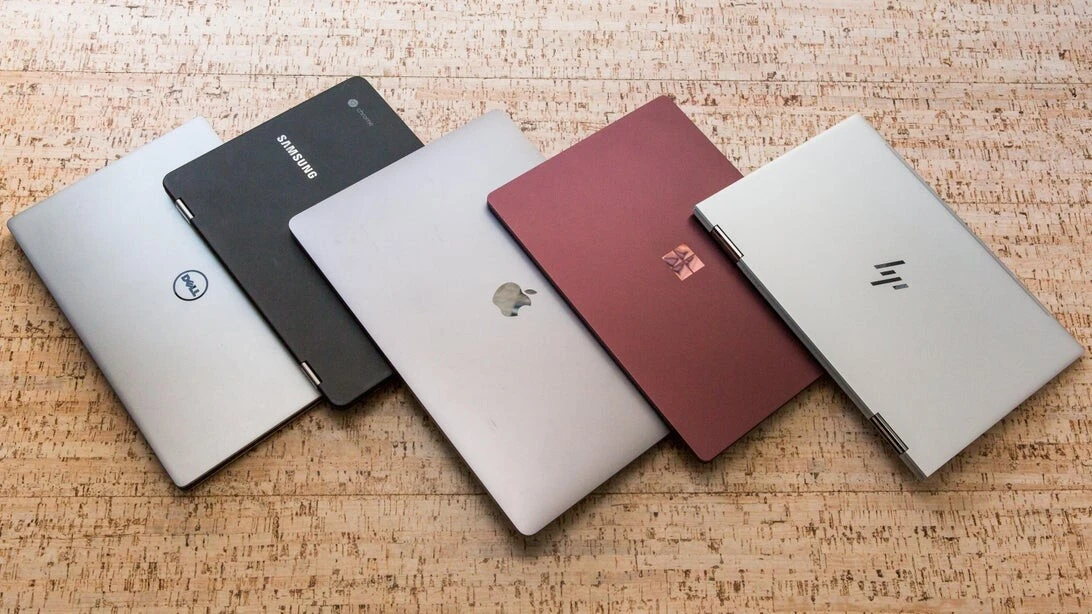
Finding the best gaming laptops under 500 dollars is harder than it looks — and most buying guides will not tell you the honest truth upfront.
You cannot run the latest AAA titles at ultra settings on a $500 gaming laptop. That is just physics — the hardware required for 4K gaming at maximum settings costs significantly more than $500. Anyone telling you otherwise is either misleading you or defining “gaming” differently than you are.
What you can do on a $500 gaming laptop in 2026 is more than most people assume. You can run Fortnite, Minecraft, League of Legends, Valorant, CS2, Apex Legends, GTA V, and hundreds of other popular titles at medium to high settings with smooth framerates. You can play older AAA games that have become less demanding as newer hardware has made them accessible. And with cloud gaming services like Xbox Game Pass and NVIDIA GeForce NOW, you can stream the latest releases on almost any hardware — which changes the equation for budget gaming entirely.
The $500 gaming laptop market in 2026 is the strongest it has ever been. Integrated graphics on AMD’s latest Ryzen processors now handle games that would have required a dedicated GPU two years ago. And one laptop on this list — the ASUS TUF Gaming A16 — actually includes a dedicated RTX 4050 GPU at under $500, which is a specification that simply did not exist at this price point before 2026.
Here are the best gaming laptops under $500 in 2026 — honestly reviewed, with real performance expectations for each one.
What to Look For in the Best Gaming Laptops Under $500
Before the picks, here is the buying framework that separates a gaming laptop you will enjoy from one you will regret three months in.
The most important specification for gaming performance is the graphics solution. A dedicated GPU — even an entry-level NVIDIA GTX 1650 or RTX 4050 — handles games significantly better than integrated graphics. In 2026, AMD’s Radeon 780M integrated graphics (found in Ryzen 7000 series processors) have narrowed the gap considerably — but a dedicated GPU still wins for any game that stresses the graphics pipeline. If gaming performance is your priority, prioritise finding a dedicated GPU at this price point.
The second critical specification is RAM — and 16GB is the minimum for a good gaming experience in 2026. With 8GB, you will notice stuttering in open-world games that stream assets from memory, and modern games are increasingly RAM-hungry. 16GB DDR5 is the standard to look for. Many laptops under $500 ship with 8GB but support upgrades — check the upgrade path before buying if the base spec is 8GB.
The third factor most buyers overlook is the display refresh rate. A 60Hz display limits how smooth fast-paced games can look regardless of how capable the hardware is. Laptops with 120Hz or 144Hz displays — which are increasingly available under $500 — deliver noticeably smoother gameplay in competitive titles like Valorant, CS2, and Apex Legends where refresh rate directly affects competitive performance.
Thermal management is the fourth factor. Budget gaming laptops that run hot throttle their performance under sustained load — meaning the frame rates you see in the first five minutes of gaming degrade significantly after twenty minutes. Look for laptops with dual-fan cooling systems and adequate ventilation. User reviews that mention thermal throttling are a red flag worth taking seriously.
Pick 1 — ASUS TUF Gaming A16 (Best Overall Under $500)
The ASUS TUF Gaming A16 is the most impressive gaming laptop available under $500 in 2026 — and the one that makes this price point genuinely exciting for budget gamers.
At around $499, the TUF Gaming A16 includes an AMD Ryzen 7 processor, a dedicated NVIDIA RTX 4050 GPU, a 165Hz Full HD display with strong colour accuracy, and ASUS’s military-grade durability certification (MIL-STD-810H). Getting an RTX 4050 GPU — which supports DLSS 3 upscaling, ray tracing, and handles modern AAA titles at medium to high settings — at this price point is genuinely remarkable. In testing, the TUF Gaming A16 handled demanding titles smoothly on its native 165Hz display, regularly exceeding 60 fps in games that would struggle on any other laptop at this price.
The honest limitation: the battery life is typical of gaming laptops — expect 3 to 4 hours under gaming load. The laptop also runs warm under sustained gaming sessions, though ASUS’s dual-fan cooling system manages thermals better than most competitors at this price.
Best for: Gamers who want the most capable hardware under $500 and are willing to prioritise gaming performance over battery life and portability.
Price range: $450 to $499
Pick 2 — Acer Nitro V 15 (Best for Consistent Performance)
The Acer Nitro V 15 is the budget gaming laptop that most consistently delivers on its performance promises — making it the reliable choice for gamers who want smooth gameplay without surprises.
At $400 to $480, the Nitro V 15 comes with AMD Ryzen 5 or Intel Core i5 options, a dedicated NVIDIA GTX 1650 or RTX 3050 GPU depending on configuration, 8GB or 16GB of RAM, and a 144Hz Full HD display. The 144Hz display is a meaningful upgrade over the 60Hz panels found on most laptops at this price — fast-paced competitive games look and feel noticeably smoother.
Acer’s CoolBoost technology keeps thermals under control better than many competitors at this price, which means performance stays consistent over extended gaming sessions rather than degrading through thermal throttling. The dual-fan cooling system and well-placed ventilation allow the Nitro V 15 to sustain its performance levels during longer play sessions.
Best for: Casual and competitive gamers who want reliable performance in esports titles like Valorant, CS2, Fortnite, and Apex Legends at smooth frame rates.
Price range: $400 to $480
Pick 3 — Lenovo IdeaPad Gaming 3 (Best Value Gaming Laptop)
The Lenovo IdeaPad Gaming 3 earns its place on this list for one consistent reason: it delivers more gaming performance per dollar than almost any competitor at its price point.
At $350 to $430, the IdeaPad Gaming 3 includes AMD Ryzen 5 processors, a dedicated NVIDIA GTX 1650 or RTX 3050 GPU, 8GB of RAM (upgradeable to 16GB), and a 120Hz Full HD display. The GPU options give it genuine gaming capability beyond what integrated graphics can deliver — Minecraft, GTA V, Fortnite, and esports titles all run smoothly at medium to high settings.
Lenovo’s build quality and keyboard experience — a legacy of the ThinkPad lineage — give the IdeaPad Gaming 3 a more premium feel than its price suggests. The keyboard has good key travel and is comfortable for extended gaming sessions. The display is not the brightest under direct sunlight, but for indoor gaming environments it delivers adequate quality.
The honest limitation: with 8GB RAM in base configuration, heavy open-world games can show memory pressure. An 8GB RAM upgrade — which is simple on this model — resolves this and costs $25 to $40.
Best for: Value-conscious gamers who want dedicated GPU performance at the lowest possible price, and who are comfortable with a minor upgrade to reach 16GB RAM.
Price range: $350 to $430
For students who need both a gaming laptop and a budget smartphone, our guide on the best smartphones under 300 dollars in 2026 covers the strongest options available.
Pick 4 — HP Victus 15 (Best for Everyday Use Plus Gaming)
The HP Victus 15 is the gaming laptop for buyers who want a machine that handles work, study, and gaming equally well — rather than a dedicated gaming machine that struggles at everything else.
At $420 to $480, the Victus 15 includes Intel Core i5 or AMD Ryzen 5 processors, a dedicated NVIDIA GTX 1650 or RTX 3050 GPU, 8GB or 16GB of RAM, and a 144Hz Full HD display. The design is more restrained than typical gaming laptops — no aggressive angles or RGB lighting that makes it inappropriate for a library or office environment. It looks like a regular laptop that happens to game well.
The Victus 15 handles the transition between work tasks and gaming more gracefully than most gaming laptops at this price. Battery life in non-gaming use is notably better than the ASUS TUF or Acer Nitro — expect 5 to 6 hours for productivity work, dropping to 2 to 3 hours under gaming load.
Best for: Students and remote workers who game regularly and want one machine that does both without looking aggressively gamer-branded in professional environments.
Price range: $420 to $480
Pick 5 — Acer Aspire Go 15 with Ryzen 7 (Best for Cloud Gaming)
For gamers whose primary interest is cloud gaming — using Xbox Game Pass, NVIDIA GeForce NOW, or PlayStation Now to stream games to their device — the Acer Aspire Go 15 with Ryzen 7 and 16GB RAM is the most cost-effective gaming laptop option in 2026.
At $269 to $349, this laptop lacks a dedicated GPU — which would be a disqualifier for local gaming. For cloud gaming, it is irrelevant. Cloud gaming streams the processed game from remote servers, with only the display and network connection determining visual quality on the client device. The Ryzen 7 processor, 8-core configuration, and 16GB DDR5 RAM handle the client-side processing for smooth cloud gaming at 1080p.
The 15.6-inch Full HD display handles 1080p streaming content well. The strong Wi-Fi connectivity — essential for low-latency cloud gaming — is well-implemented. For a gamer on the tightest budget who has access to a strong internet connection, this approach delivers access to the latest AAA titles on hardware that costs less than a single AAA game used to cost.
Best for: Cloud gamers, casual gamers who play less demanding titles, and anyone on the tightest budget who wants a capable laptop that can also handle light gaming.
Price range: $269 to $349
Pick 6 — ASUS VivoBook Go 15 Gaming Edition (Best Build Quality Under $400)
For budget gamers who prioritise durability alongside performance, the ASUS VivoBook Go 15 Gaming Edition brings the same MIL-STD-810H military durability certification as more expensive ASUS models at a lower price point.
At $350 to $420, the VivoBook Go 15 Gaming Edition includes AMD Ryzen 5 processors with Radeon integrated graphics, 8GB or 16GB of RAM, and a 120Hz Full HD display. The Radeon 780M integrated graphics — found in the Ryzen 7000 series — handle esports titles and older games well. It is not the strongest gaming option at this price, but the durability certification and build quality give it a significantly longer useful life than competitors with lower build standards.
Best for: Gamers who carry their laptop regularly, students who need a durable machine that can handle light gaming, and anyone who is hard on their equipment and needs hardware that can survive daily use.
Price range: $350 to $420
What Games Can You Actually Play on a $500 Gaming Laptop?
Here is the honest breakdown of what is and is not realistic on a gaming laptop under $500 in 2026.
Games that run well at medium to high settings on most $500 gaming laptops: Minecraft, Fortnite, Valorant, CS2, Apex Legends, League of Legends, GTA V, Rocket League, Among Us, Stardew Valley, and most esports titles. These games are optimised for broad hardware compatibility and run smoothly on the GPU options available at this price.
Games that require reduced settings or lower resolution: The Witcher 3, Elden Ring, Cyberpunk 2077, and other demanding open-world or visually intensive titles. On laptops with dedicated GPUs like the RTX 4050 or RTX 3050, medium settings at 1080p are achievable. On integrated graphics, these titles require significant settings reductions.
Games that are genuinely difficult to run well under $500: The latest AAA releases at high settings, ray tracing enabled at any settings, 4K gaming. These require hardware that costs significantly more than $500.
The practical implication: for esports gaming and the most popular titles, a $500 gaming laptop in 2026 is entirely capable. For maxing out the latest releases, the budget constraint is real — and being honest about that upfront saves significant disappointment post-purchase.
The Mistakes That Lead to the Wrong Gaming Laptop Purchase
The first mistake is buying a laptop marketed as “gaming” without a dedicated GPU. Many manufacturers put gaming-adjacent branding on laptops with only integrated graphics. Integrated graphics have improved significantly in 2026 — but a dedicated GPU still delivers meaningfully better performance for gaming workloads. Check the GPU specification before any gaming laptop purchase.
The second mistake is ignoring the display refresh rate. A 60Hz display on a gaming laptop is a compromise that affects how smooth fast-paced games feel every single time you play. The 144Hz and 165Hz displays available on several options on this list cost only marginally more and deliver a significantly better gaming experience for competitive titles.
The third mistake is buying the lowest RAM configuration without checking upgrade options. Gaming in 2026 benefits significantly from 16GB of RAM. If a laptop ships with 8GB but is user-upgradeable — as most on this list are — factor the $25 to $40 upgrade cost into your purchase decision from the start.
The fourth mistake is not reading thermal performance reviews. A gaming laptop that throttles under sustained load delivers half the performance its spec sheet suggests after twenty minutes of gaming. Look specifically for reviews that test sustained gaming performance — not just brief benchmark runs.
The Fastest Path to Choosing the Right Budget Gaming Laptop
If your primary games are esports titles — Valorant, CS2, Fortnite, Apex Legends: the Acer Nitro V 15 or Lenovo IdeaPad Gaming 3 at $350 to $480 gives you a 144Hz display and dedicated GPU performance optimised for exactly these titles. Both are strong choices for competitive gaming at smooth frame rates.
If you want the absolute best gaming performance under $500: the ASUS TUF Gaming A16 with its RTX 4050 GPU is the clear recommendation. It delivers hardware that has no business being available at this price in 2026 — and the 165Hz display does it justice. If you are also looking for a reliable everyday laptop alongside gaming, our guide on the best budget laptops under 500 dollars in 2026 covers options optimised for productivity and portability rather than gaming performance. And if you are interested in how a gaming laptop fits into a broader earning strategy — content creation, streaming, or freelancing — our guide on how to make money with AI tools in 2026 shows how the same hardware serves both purposes.
If you primarily want to cloud game: the Acer Aspire Go 15 at $269 to $349 gives you the processing power and display quality needed for cloud gaming at a price that leaves budget for a Game Pass subscription.
What Comes Next for Budget Gaming Laptops
The under-$500 gaming laptop market is improving faster than any other segment of the laptop industry. Dedicated GPUs that were mid-range two years ago now land under $500. Display quality that was premium territory in 2023 is standard in 2026. AMD’s integrated Radeon graphics continue closing the gap with entry-level dedicated GPUs.
The laptops on this list represent the strongest value the budget gaming market has ever offered. Every option delivers genuine gaming capability — honest about its limits, real about what it can handle, and priced for buyers who want to game without spending $1,000 or more to do it.
One game library. One budget. The right laptop makes the difference between enjoying both and regretting the compromise.