
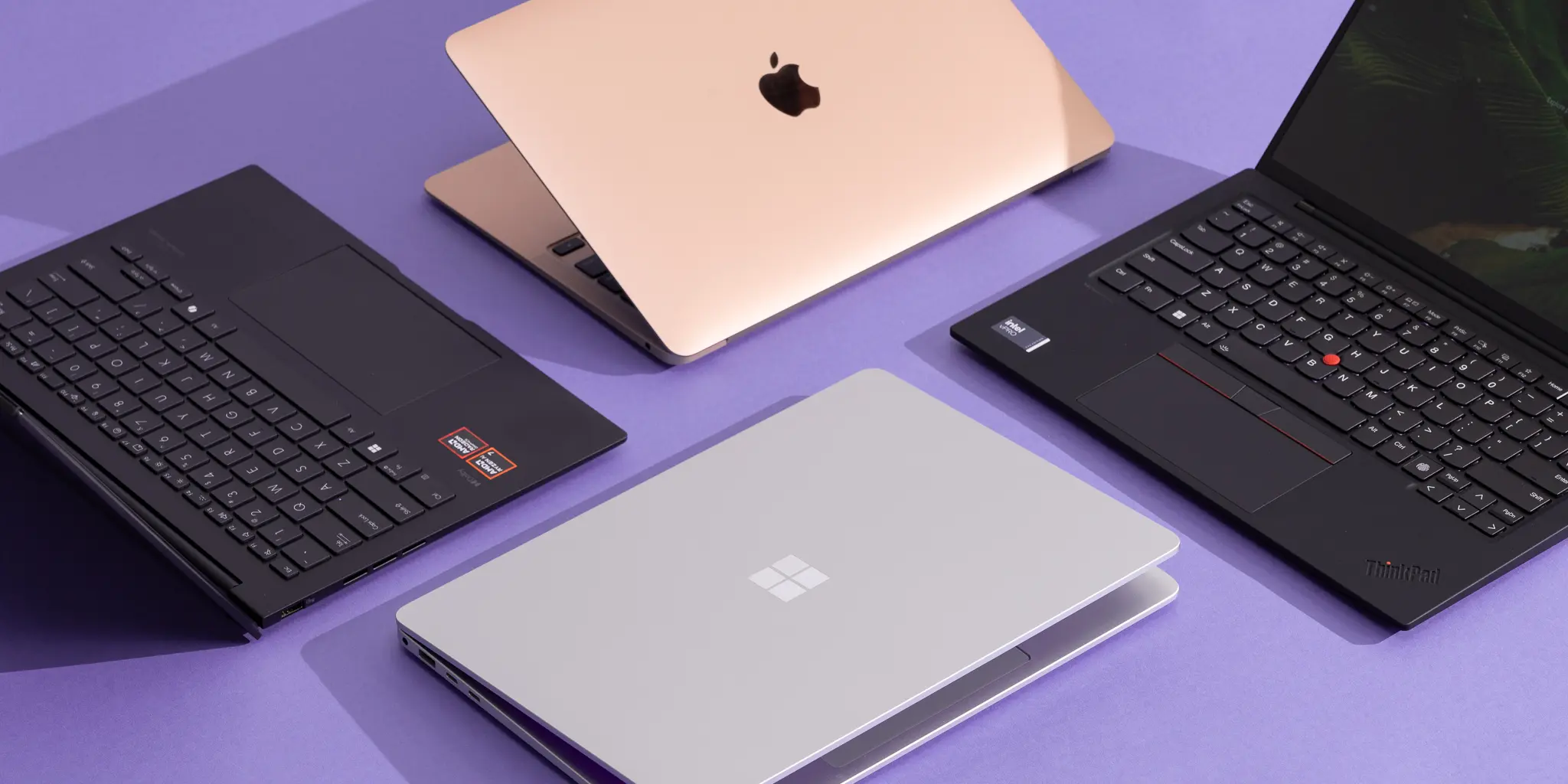
If you are searching for the best budget laptops under 500 dollars in 2026, you are in the right place — and the market this year is genuinely better than it has ever been.
The $500 laptop market in 2026 is genuinely good — better than it has ever been. The gap between a $500 laptop and a $1,000 laptop has narrowed dramatically over the past three years. What used to buy you a sluggish machine with a dim screen and a spinning hard drive now buys you a fast SSD, a sharp 1080p display, and enough RAM to handle real work without constant frustration.
The catch is that not all budget laptops are equal — and the difference between a great $400 laptop and a frustrating $400 laptop often comes down to three specifications that most buyers overlook until it is too late. I have done the research on what is actually available in 2026 so you do not have to spend three hours on spec sheets.
Here are the best budget laptops under $500 in 2026 — honestly reviewed, with real use cases for each one.
What to Look For in the Best Budget Laptops Under 500 Dollars
Before the picks, here is the buying framework that separates a good purchase from a regret.
The single most important specification in a budget laptop is storage type. A laptop with an SSD — solid state drive — boots Windows in under 15 seconds and opens applications instantly. A laptop with an HDD — hard disk drive — boots in 60 to 90 seconds and feels sluggish for every task. In 2026, there is no good reason to buy a budget laptop with an HDD. If the spec sheet says HDD or eMMC on a Windows laptop you plan to use for serious work, skip it.
The second critical specification is RAM. Eight gigabytes is the minimum for a usable Windows experience in 2026. With 8GB, you can have a dozen browser tabs open, run a document editor, and stream music without your system crawling. With 4GB, you cannot. Sixteen gigabytes makes multitasking genuinely smooth and extends the useful life of the laptop by two to three years. If you find a laptop under $500 with 16GB RAM and an SSD, that is a strong buy.
The third specification most buyers ignore is the processor generation. A brand new laptop with a three-year-old Intel Celeron processor will feel slow on day one and slower every year. Look for Intel Core i3 or i5 from the 12th generation or newer, AMD Ryzen 3 or 5 from the 5000 series or newer, or a Qualcomm Snapdragon X chip for thin-and-light options. These are the processor families that deliver usable performance at budget price points in 2026.
Pick 1 — Acer Aspire Go 15 (Best Overall Under $500)
The Acer Aspire Go 15 is the best budget laptop deal in 2026 — and the price makes it almost feel like a mistake.
At $269 to $349 depending on configuration, the Aspire Go 15 includes a 15.6-inch Full HD display, an Intel Core 3 N355 processor with 8 cores, 8GB DDR5 RAM, and 128GB of SSD storage. For under $300, this specification sheet would have been considered mid-range three years ago. The keyboard is genuinely comfortable for extended typing sessions, and the 120Hz display option makes scrolling and video significantly smoother than the 60Hz panels found on most budget laptops.
The honest limitation: 128GB of storage fills up faster than most people expect. If you plan to store large files, photos, or video locally, budget for an external drive or consider the higher storage configuration.
Best for: Students, remote workers on a tight budget, and anyone who needs a reliable everyday machine for documents, browsing, and video calls.
Price range: $269 to $349
Pick 2 — Lenovo IdeaPad 3 (Best for Students)
Lenovo’s IdeaPad line has been the go-to recommendation for budget laptops for years — and the 2026 version of the IdeaPad 3 continues to earn that reputation.
The IdeaPad 3 in the $350 to $450 range comes with AMD Ryzen 5 processors, 8GB of RAM, and 256GB or 512GB SSD storage depending on configuration. The AMD Ryzen 5 processor delivers better performance per dollar than Intel’s equivalent budget offerings — and the integrated AMD graphics handle light photo editing and casual gaming noticeably better than Intel’s integrated graphics.
The build quality is above average for the price. Lenovo’s keyboard — a legacy of the ThinkPad lineage — is one of the most comfortable typing experiences in the budget segment. The display brightness is adequate for indoor use, though it struggles in direct sunlight like most budget panels.
Best for: Students who need a reliable machine for coursework, online research, and video calls. The Ryzen 5 processor gives this laptop a longer useful life than Celeron or Pentium alternatives at the same price.
Price range: $350 to $450
Pick 3 — HP 15.6 Touchscreen Laptop (Best for Everyday Home Use)
HP’s 15.6-inch touchscreen laptops in the $350 to $450 range offer something rare at this price point: a touchscreen display that actually works well.
The touchscreen adds genuine utility for users who browse, scroll, and navigate intuitively — and it makes the laptop significantly more versatile for casual use. The 2026 configurations include Intel Core i3 processors, 8GB RAM, and 256GB SSD storage, which is a solid specification for everyday tasks including web browsing, streaming, document editing, and video calls.
HP’s build quality at this price is reliable. The brand’s warranty and customer support are better than most budget laptop competitors, which matters when you are spending $400 on a machine you need to work consistently for the next three to four years.
Best for: Home users, parents, and anyone who prefers touch navigation for browsing and light content consumption. Not recommended for heavy multitasking or creative work.
Price range: $350 to $450
Pick 4 — Acer Chromebook Plus 515 (Best Chromebook Under $500)
If your laptop use is primarily web-based — browsing, streaming, Google Docs, email, video calls — the Acer Chromebook Plus 515 delivers more value per dollar than any Windows laptop at this price point.
At $399 or less during sales, the Chromebook Plus 515 includes an Intel Core i3 processor, 8GB RAM, 128GB storage, and a 15.6-inch Full HD display. Chrome OS boots in seconds, updates silently in the background, and requires almost no maintenance. Battery life regularly exceeds 10 hours in real use — significantly better than most Windows laptops under $500.
The honest limitation is Chrome OS itself. If you need Windows-specific software — Microsoft Office desktop apps, specialised professional tools, gaming — a Chromebook is the wrong choice. If your work lives in a browser and Google’s productivity suite, it is arguably the best value computing experience under $500 in 2026.
Best for: Students, remote workers whose tools are web-based, and anyone who prioritises reliability and battery life over software compatibility.
Price range: $349 to $399
Pick 5 — ASUS VivoBook Go 15 (Best Build Quality Under $400)
ASUS’s VivoBook Go 15 earns its place on this list for one reason most budget laptops cannot claim: military-grade durability testing.
The MIL-STD-810H certification means the VivoBook Go has been tested for resistance to drops, temperature extremes, humidity, and vibration. For a budget laptop that will be carried in a backpack, used in different environments, and handled by students or frequent travellers, that durability standard matters. Most laptops under $500 will show wear and develop wobble in the hinges within eighteen months of regular use. The VivoBook Go is built to last longer.
The specifications are competitive: AMD Ryzen 5 processor, 8GB RAM, 256GB SSD, and a 15.6-inch Full HD display in the $350 to $420 range. Performance is similar to the Lenovo IdeaPad 3, but the build quality and durability give it the edge for anyone who is hard on their equipment.
Best for: Students, frequent travellers, and anyone who needs a budget laptop that will survive being carried daily without developing structural issues.
Price range: $350 to $420
Pick 6 — Lenovo IdeaPad Duet 3 Chromebook (Best 2-in-1 Under $500)
For users who want the flexibility of a tablet and the functionality of a laptop in a single device under $500, the Lenovo IdeaPad Duet 3 Chromebook is the strongest option available in 2026.
The Duet 3 comes with a detachable keyboard cover included in the purchase price — which is not the case with most 2-in-1 budget devices. The 11-inch 2000 x 1200 touchscreen is sharp and bright for its price. The Qualcomm Snapdragon processor handles web browsing, video streaming, and Google Docs efficiently. Battery life exceeds 10 hours consistently, making it a genuine all-day device.
The limitations are real: the smaller screen size makes extended document work less comfortable than a 15-inch laptop, and Chrome OS means the same software restrictions apply as with any Chromebook. But as a portable, versatile device for students or light users who want one device instead of two, it delivers strong value.
Best for: Students who want a tablet-laptop hybrid, commuters, and light users who prioritise portability over screen size.
Price range: $299 to $379
What to Avoid When Buying a Budget Laptop Under $500
The specification combinations that will make you regret your purchase within six months are consistent enough to be worth spelling out clearly.
Avoid any laptop with less than 8GB of RAM as the base configuration in 2026. Four gigabytes of RAM cannot run a modern Windows 11 installation without constant memory pressure — which manifests as slowdowns, spinning loading indicators, and browser tabs that reload every time you switch to them. This is not a usage problem. It is a hardware ceiling.
Avoid Intel Celeron and Intel Pentium processors for primary computers. These processors were designed for light workloads and have not kept pace with the performance improvements in AMD’s budget lineup or Intel’s own Core 3 series. A laptop with a Celeron processor feels noticeably slower for everyday tasks than one with an entry-level Ryzen 5 at a similar price.
Avoid hard disk drives. As covered above, HDDs make every interaction with the laptop slower — boot time, application launch, file access. In 2026, SSDs are available at every price point. There is no justification for buying a budget laptop with an HDD unless the price is exceptionally low and you plan to replace the drive yourself.
Avoid laptops with eMMC storage for primary Windows use. eMMC is faster than HDD but significantly slower than a proper SSD — and it is common in budget Windows laptops as a cost-cutting measure. Chromebooks handle eMMC better because Chrome OS is optimised for it, but Windows on eMMC is noticeably sluggish for anything beyond the most basic tasks.
The Fastest Path to Choosing the Right Budget Laptop
If you are a student or remote worker who needs reliability above all else: the Acer Aspire Go 15 at $269 to $349 is the clearest value play in the market right now. Eight cores, DDR5 RAM, SSD storage, and a 1080p display for under $300 is a specification combination that would have cost $600 two years ago.
If you need the best build quality and longest-lasting hardware: the ASUS VivoBook Go 15 at $350 to $420 is the right choice. Military-grade durability certification at a budget price point is a genuine differentiator.
If your work is primarily web-based: the Acer Chromebook Plus 515 at $349 to $399 delivers more performance, better battery life, and lower maintenance requirements than any Windows laptop at this price. If you are already in the Google ecosystem and do not need Windows software, this is the strongest recommendation on this list. If you want to understand how a reliable laptop fits into a broader strategy for earning money online — whether through freelancing, content creation, or AI tools — our guide on how to make money with AI tools in 2026 shows exactly how to leverage a budget machine into real income. And if you are building freelancing skills to monetise your laptop investment, our guide on the Top Freelancing Skills in 2026 covers the highest-paying capabilities you can develop right now.
What Comes Next for Budget Laptops
The budget laptop market is improving faster than the premium market right now — because the component costs that used to separate budget and mid-range are falling. Processors that cost $200 to manufacture two years ago cost $80 today. DDR5 RAM that was a premium feature in 2023 is standard in $300 laptops in 2026.
The practical implication: the sweet spot for budget laptop value is shifting upward every year. The laptops on this list represent the best the market offers at under $500 in 2026 — and they are significantly better than what was available at this price point twelve months ago.
Buy based on your primary use case, prioritise SSD storage and at least 8GB RAM, and choose a brand with reliable customer support. The best budget laptop is the one that does your specific work reliably for the next three to four years — and every option on this list can do exactly that.
What is the best budget laptop under $500 in 2026?
The Acer Aspire Go 15 at $269 to $349 is the strongest overall value in 2026. It includes an 8-core Intel Core 3 processor, 8GB DDR5 RAM, SSD storage, and a 15.6-inch Full HD display for under $300. For students who need the best build quality, the ASUS VivoBook Go 15 at $350 to $420 adds military-grade durability certification.
Is 8GB RAM enough for a laptop in 2026?
Yes — 8GB RAM is sufficient for everyday tasks including web browsing, document editing, video calls, and streaming in 2026. Where 8GB starts to feel limited is heavy multitasking — running multiple large applications simultaneously, video editing, or gaming.
Should I buy a Chromebook or a Windows laptop under $500?
It depends entirely on how you use a laptop. If your work is primarily web-based — Google Docs, email, browsing, video calls, streaming — a Chromebook delivers better battery life, faster boot times, and lower maintenance than a Windows laptop at the same price.